> ## Documentation Index
> Fetch the complete documentation index at: https://telr-docs.cashfree.com/llms.txt
> Use this file to discover all available pages before exploring further.
# Initiate Payout
You can initiate payouts from the virtual accounts you created to improve cash flow management, enhance financial organisation, flexibility, security, and simplify reconciliation.
## Initiate a payout
Follow the instructions below to initiate a payout from the virtual account:
1. Login to the *Payouts* dashboard using your credentials.
2. From the navigation pane, click **One Escrow** > **Escrow Account**.
3. Click **Allocate Funds** in the *One Escrow - Escrow Account* page.
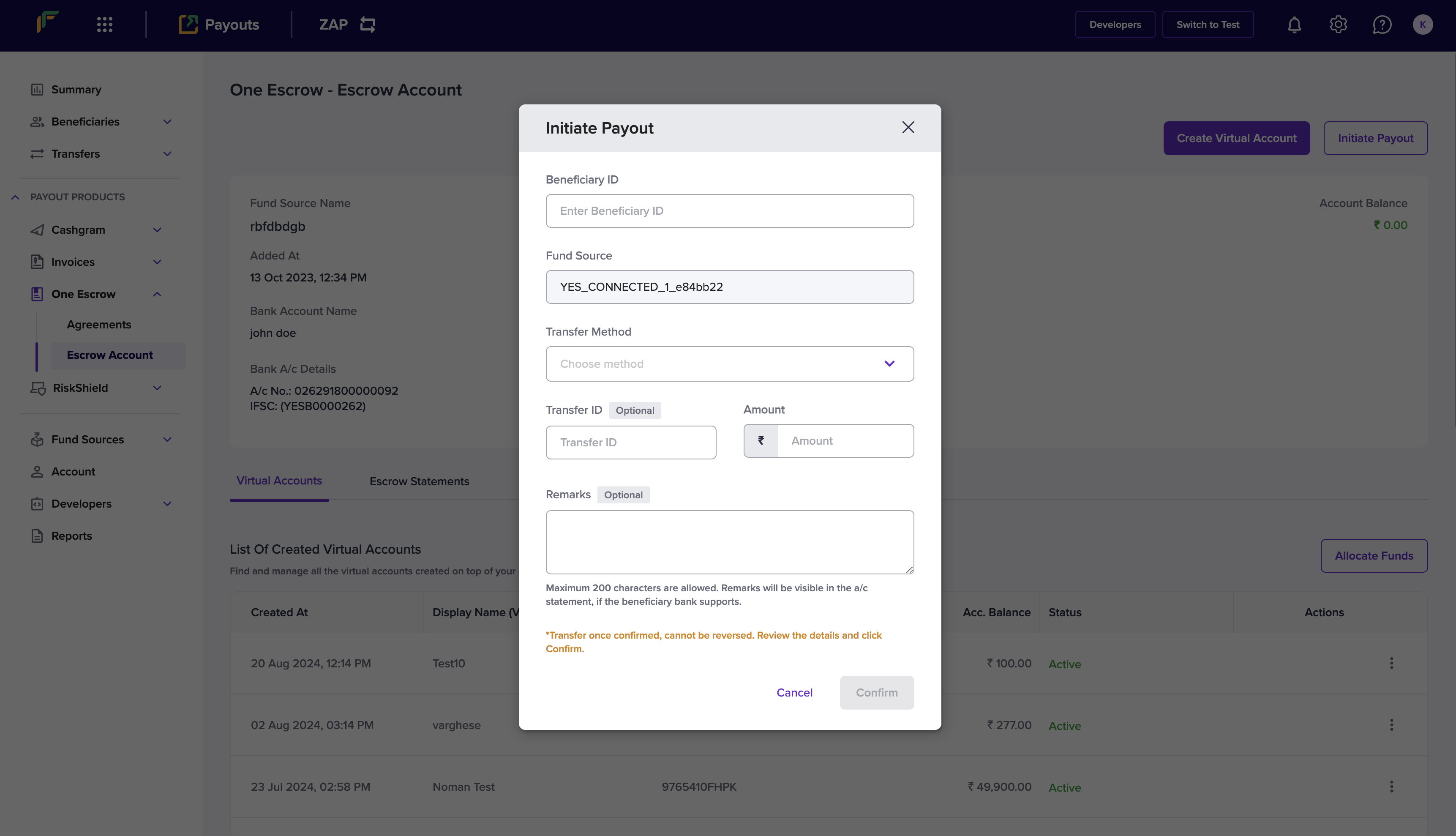
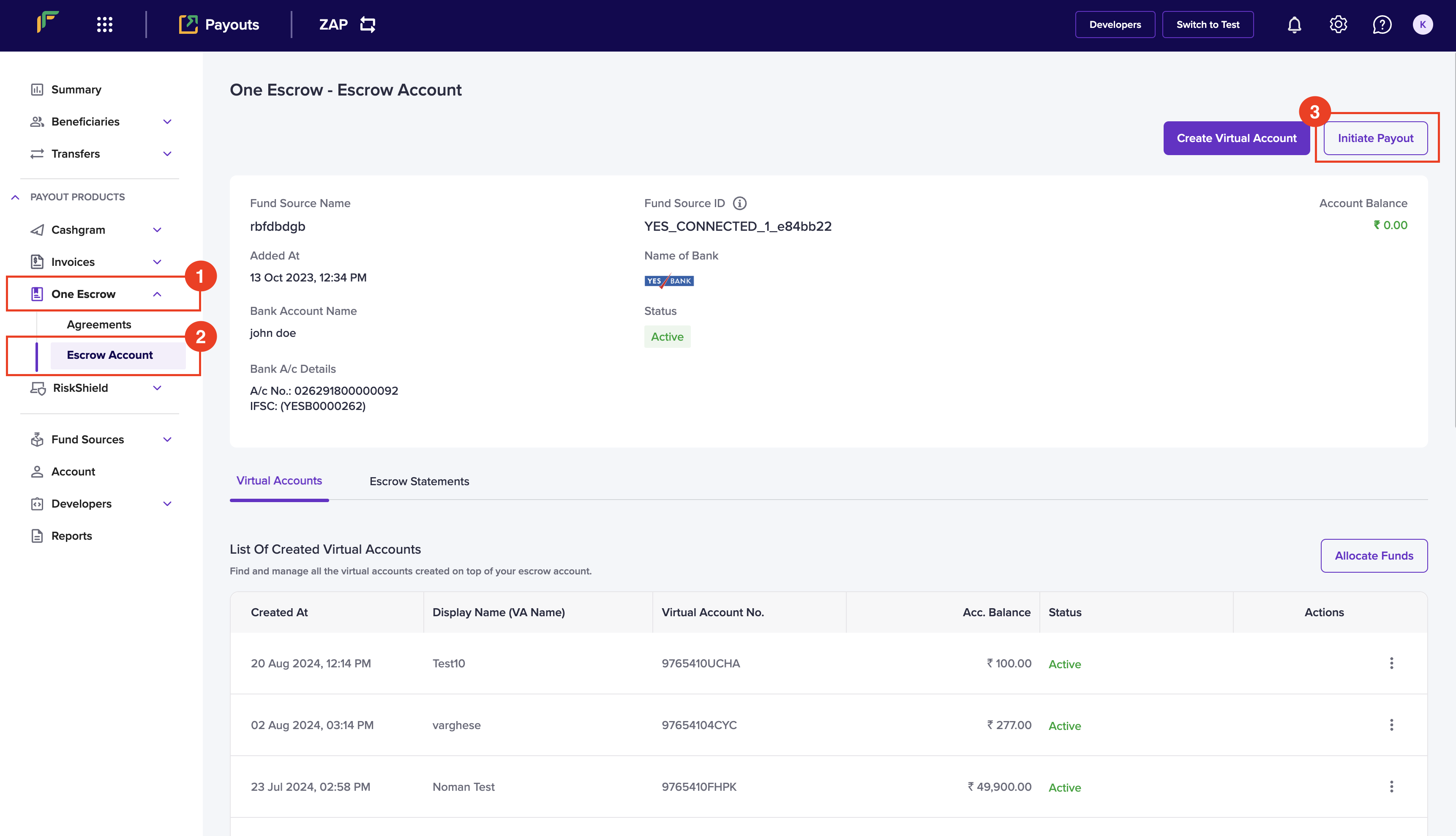 4. Enter the following information in the *Initiate Payout* popup:
* Beneficiary ID - Enter the ID of the beneficiary that you want to transfer the amount.
* Fund Source - Select the fund source that you want to debit the transfer amount.
* Transfer Method - Choose a transfer method from the dropdown menu.
* Transfer ID - Enter a unique ID to identify the transfer. This is an optional field.
* Amount - Enter the amount you want to transfer.
* Remarks - Enter any remarks.
5. Click **Confirm.**
4. Enter the following information in the *Initiate Payout* popup:
* Beneficiary ID - Enter the ID of the beneficiary that you want to transfer the amount.
* Fund Source - Select the fund source that you want to debit the transfer amount.
* Transfer Method - Choose a transfer method from the dropdown menu.
* Transfer ID - Enter a unique ID to identify the transfer. This is an optional field.
* Amount - Enter the amount you want to transfer.
* Remarks - Enter any remarks.
5. Click **Confirm.**
 You have successfully initiated a payout, and the popup will display the transaction information.