> ## Documentation Index
> Fetch the complete documentation index at: https://telr-docs.cashfree.com/llms.txt
> Use this file to discover all available pages before exploring further.
# Delete Virtual Account
You can delete virtual accounts (VAs) that are not in use, as long as their balance is zero.
### Delete a virtual account
Follow the instructions below to delete a virtual account:
1. Login to the *Payouts* dashboard using your credentials.
2. From the navigation pane, click **One Escrow** > **Escrow Account**.
3. You can view the created virtual accounts under *Virtual Accounts* > *List of Created Virtual Accounts*.
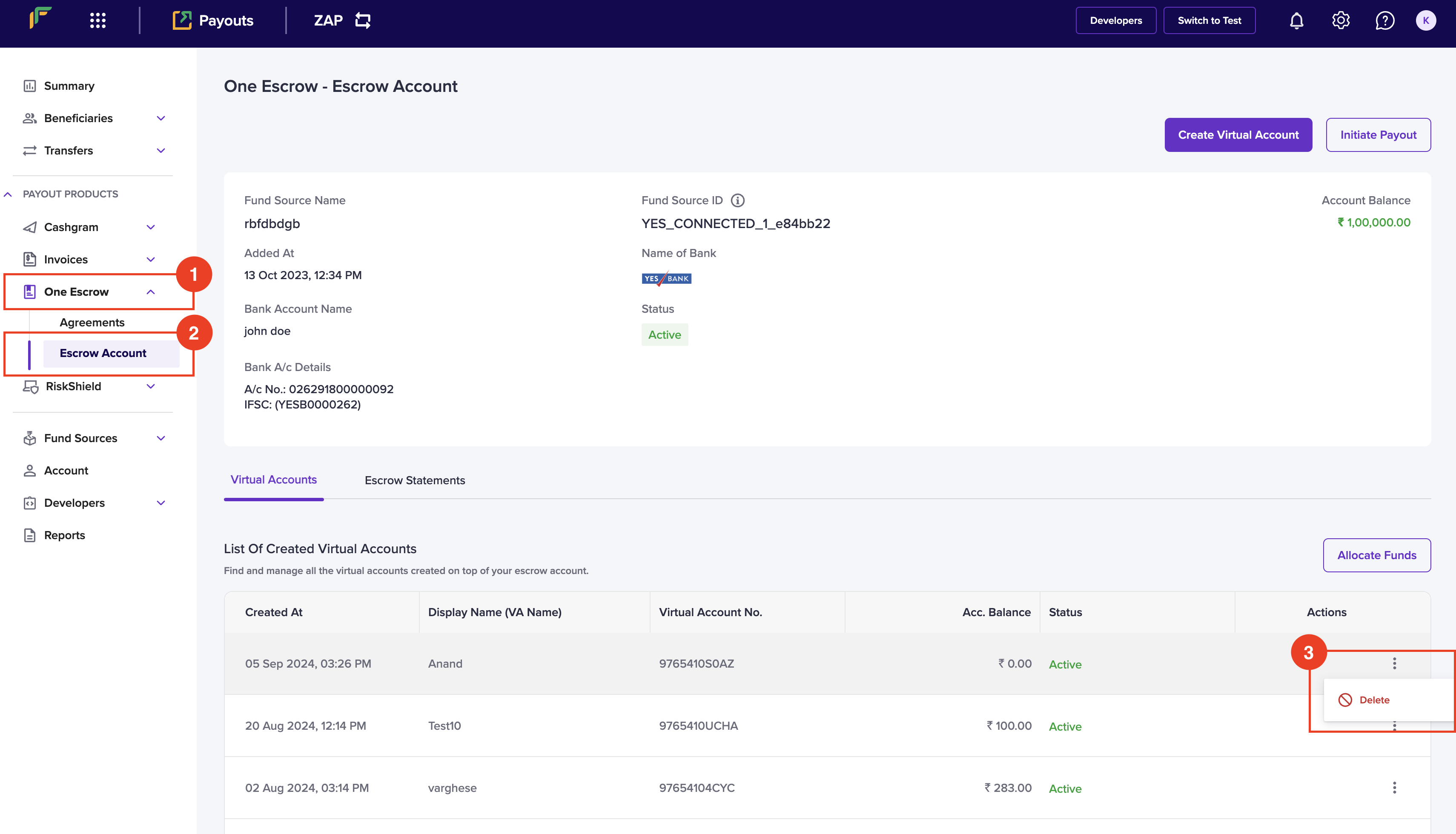 4. Click the ellipses icon against the virtual account you want to delete, and click **Delete**.
5. Click **Delete** in the *Delete Account* popup.
4. Click the ellipses icon against the virtual account you want to delete, and click **Delete**.
5. Click **Delete** in the *Delete Account* popup.
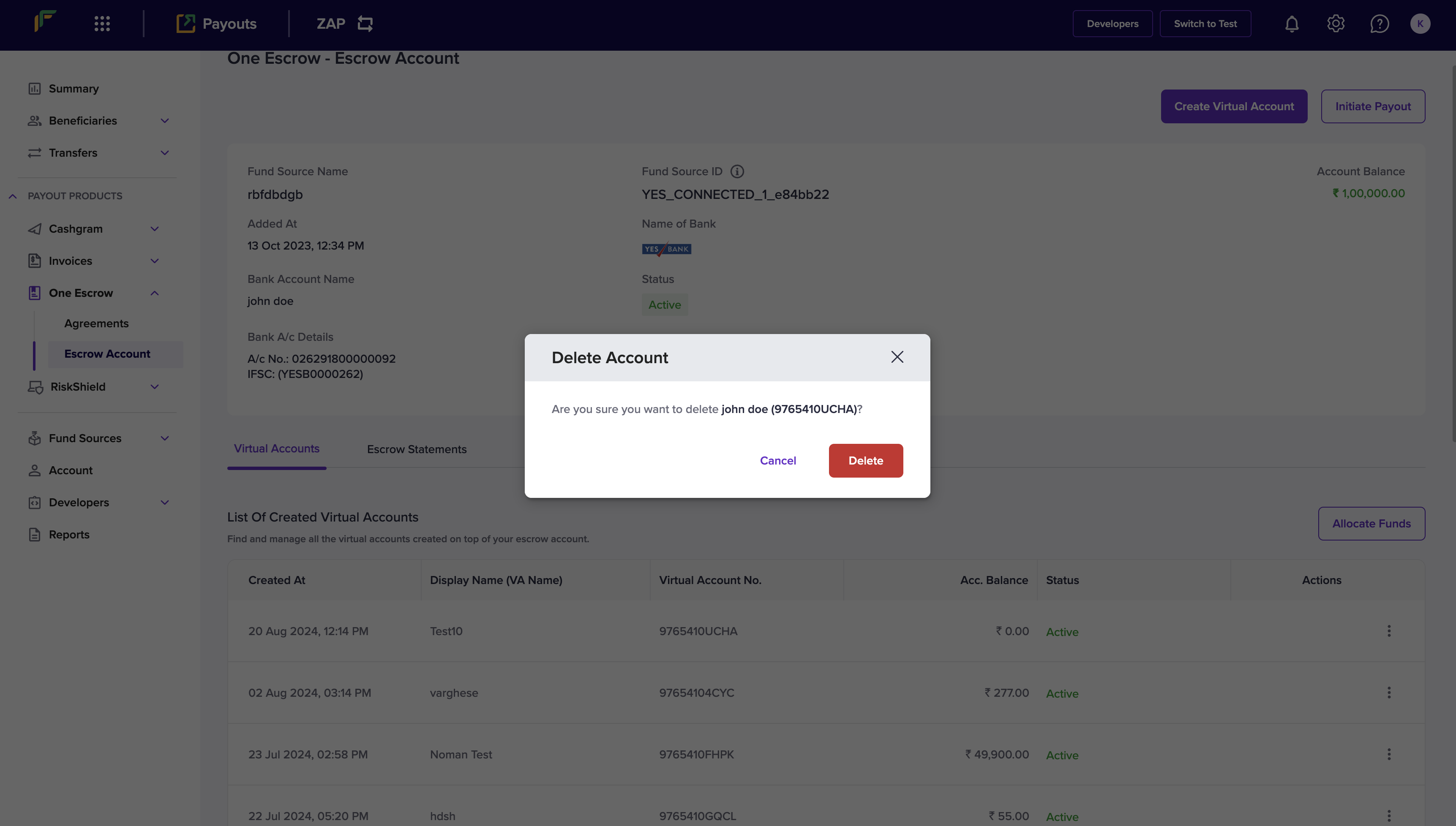 Your virtual account will be successfully deleted.