> ## Documentation Index
> Fetch the complete documentation index at: https://telr-docs.cashfree.com/llms.txt
> Use this file to discover all available pages before exploring further.
# Create Virtual Account
Virtual accounts help streamlines the management of funds, enhance tracking capabilities, and simplify the financial process.
## Create a virtual account
Follow the instructions below to create a virtual account:
1. Login to the *Payouts* dashboard using your credentials.
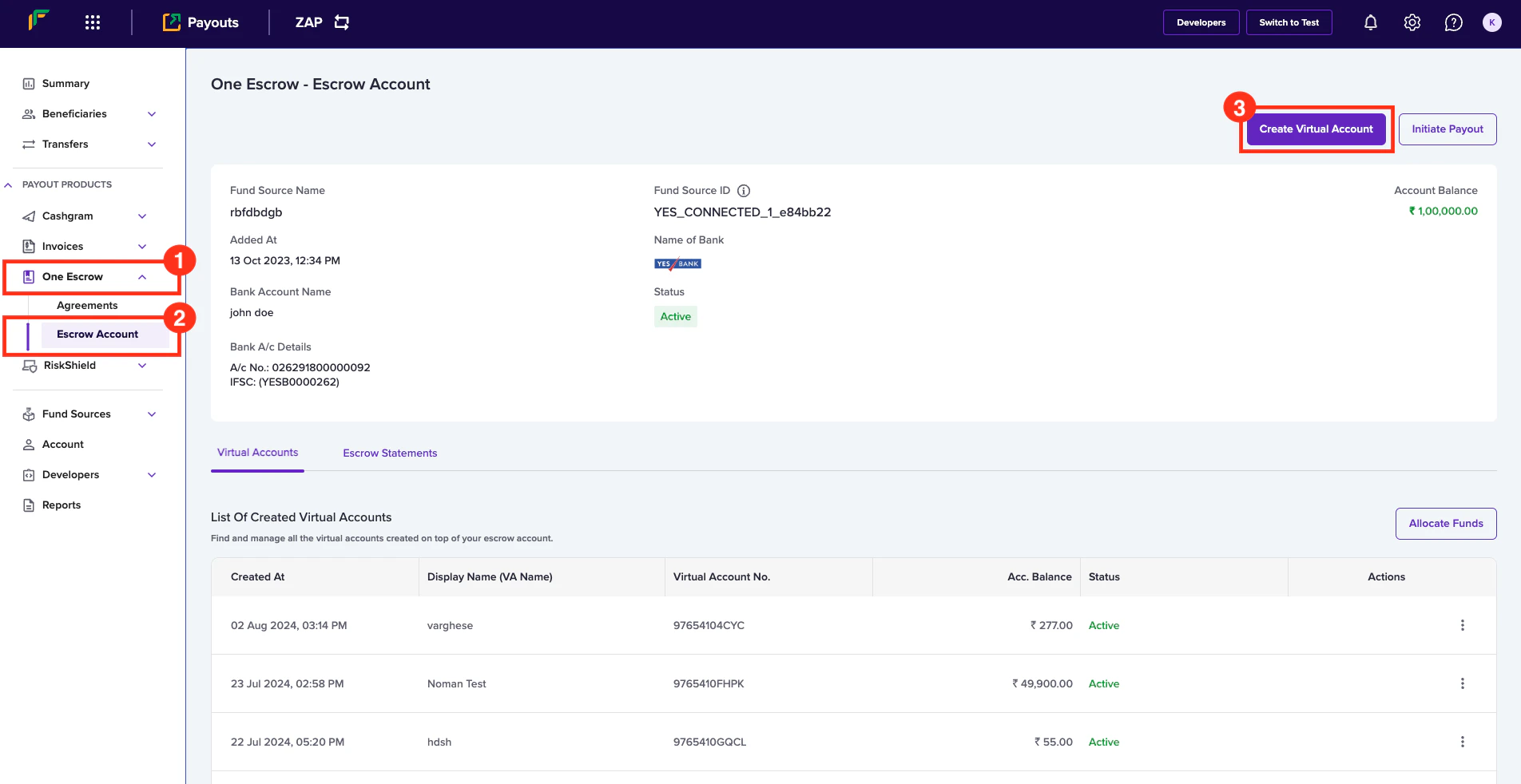
2. From the navigation pane, click **One Escrow** > **Escrow Account**.
3. Click **Create Virtual Account** in the *One Escrow - Escrow Account* page.
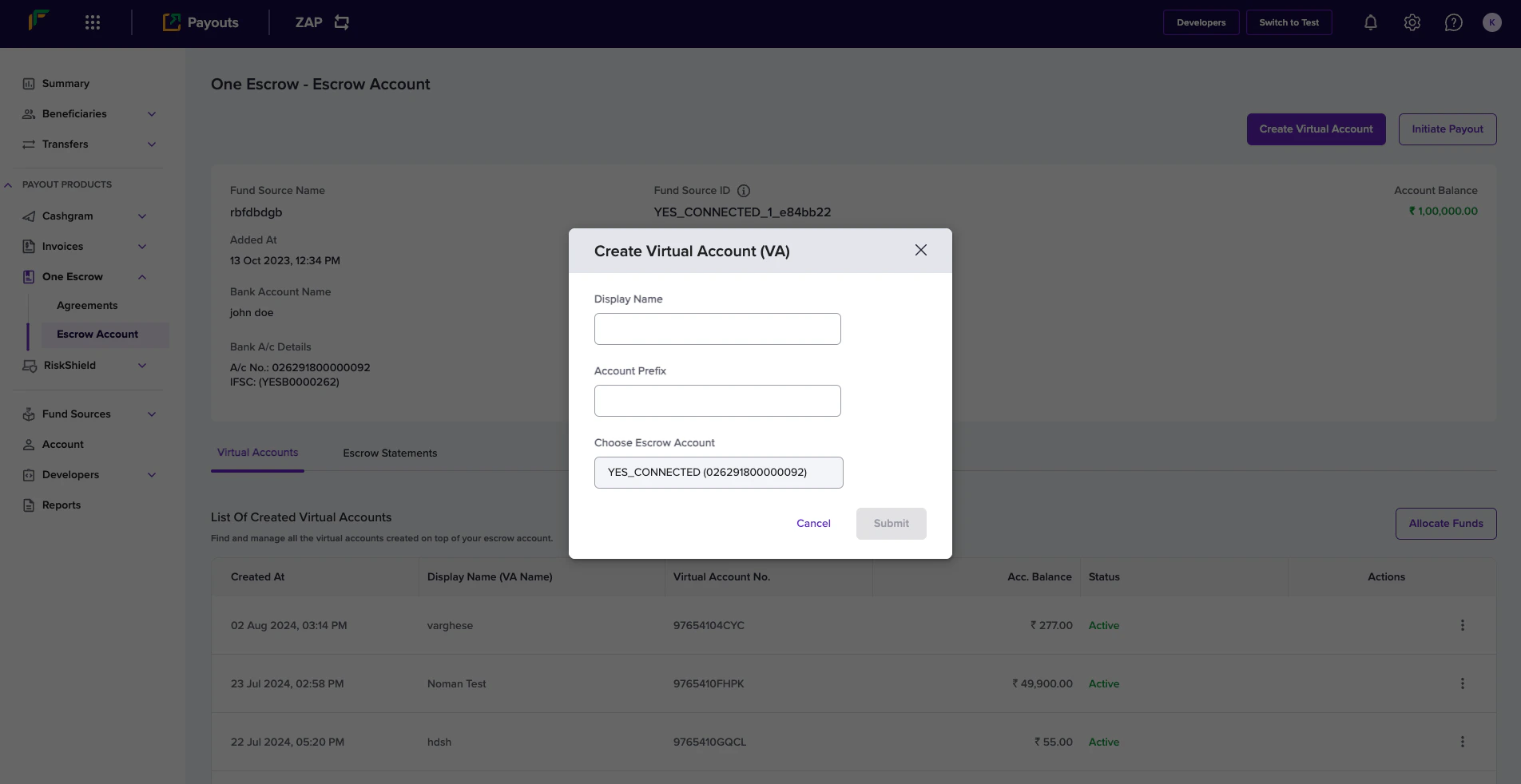
 4. In the *Create Virtual Account (VA)* popup, enter the following information:
* **Display Name** - Enter the name you want to display for the virtual account.
* **Account Prefix** - Enter the account prefix as allocated by the bank.
* **Choose Escrow Account** - Use this field to select the escrow account.
5. Click **Submit**.
4. In the *Create Virtual Account (VA)* popup, enter the following information:
* **Display Name** - Enter the name you want to display for the virtual account.
* **Account Prefix** - Enter the account prefix as allocated by the bank.
* **Choose Escrow Account** - Use this field to select the escrow account.
5. Click **Submit**.
 Your virtual account will be successfully created, and the popup will display the account number and IFSC information.
You can find the bank account information of the virtual account in the
dashboard to recharge the account.
Your virtual account will be successfully created, and the popup will display the account number and IFSC information.
You can find the bank account information of the virtual account in the
dashboard to recharge the account.