
Requirements
- Create a Telr Merchant Account.
- Log in to the merchant dashboard and generate test keys from Cashfree Dashboard.
- Generate API Keys - Client ID & Secret Key.
Step 1: Create a Plan
API Documentation: Create Plancurl --request POST \
--url https://sandbox.cashfree.com/pg/plans \
--header 'accept: application/json' \
--header 'content-type: application/json' \
--header 'x-api-version: 2023-08-01' \
--header 'x-client-id: xyz' \
--header 'x-client-secret: abc' \
--data '{
"plan_id": "plan_cashfree_sbox",
"plan_name": "Premium_10",
"plan_type": "ON_DEMAND",
"plan_currency": "INR",
"plan_max_amount": 100,
"plan_note": "Test Plan Telr"
}'
{
	"plan_currency": "INR",
	"plan_id": "plan_cashfree_sbox",
	"plan_interval_type": null,
	"plan_intervals": null,
	"plan_max_amount": 100,
	"plan_max_cycles": null,
	"plan_name": "Premium_10",
	"plan_note": "Test Plan Telr",
	"plan_recurring_amount": 0,
	"plan_status": "ACTIVE",
	"plan_type": "ON_DEMAND"
}
Step 2: Create Subscription
API Documentation: Create Subscriptioncurl --request POST \
--url https://sandbox.cashfree.com/pg/subscriptions \
--header 'accept: application/json' \
--header 'content-type: application/json' \
--header 'x-api-version: 2023-08-01' \
--header 'x-client-id: xyz' \
--header 'x-client-secret: abc' \
--data '{
"customer_details": {
"customer_name": "Sushane Yadav",
"customer_email": "sushane.yadav@abc.com",
"customer_phone": "9999999999",
"customer_bank_account_holder_name": "Sushane Yadav",
"customer_bank_account_number": "010080198715",
"customer_bank_ifsc": "ICIC0001008",
"customer_bank_code": "ICIC",
"customer_bank_account_type": "SAVINGS"
},
"plan_details": {
"plan_id": "plan_cashfree_sbox",
"plan_name": "Premium_09",
"plan_type": "ON_DEMAND"
},
"authorization_details": {
"authorization_amount": 1,
"authorization_amount_refund": true,
"authorization_time": 1
},
"subscription_tags": {
"subscription_note": "test create subs"
},
"subscription_meta": {
"return_url": "https://wa.me/8473222?textPayment%20Successfull",
"notification_channel": [
"EMAIL",
"SMS"
]
},
"subscription_id": "create-ondemand-subs-12",
"subscription_expiry_time": "2028-12-24T14:15:22Z"
}'
{
	"authorization_details": {
		"authorization_amount": 1,
		"authorization_amount_refund": true,
		"authorization_reference": null,
		"authorization_time": null,
		"authorization_status": null,
		"payment_id": null,
		"payment_method": null,
		"instrument_id": null
	},
	"cf_subscription_id": "604456",
	"customer_details": {
		"customer_name": "Sushane Yadav",
		"customer_email": "sushane.yadav@abc.com",
		"customer_phone": "9999999999",
		"customer_bank_account_holder_name": "Sushane Yadav",
		"customer_bank_account_number": "010080198715",
		"customer_bank_ifsc": "ICIC0001008",
		"customer_bank_code": "ICIC",
		"customer_bank_account_type": "SAVINGS"
	},
	"plan_details": {
		"plan_id": "plan_cashfree_sbox",
		"plan_name": "Premium_10",
		"plan_type": "ON_DEMAND",
		"plan_max_cycles": null,
		"plan_recurring_amount": 0,
		"plan_max_amount": 100,
		"plan_interval_type": null,
		"plan_intervals": null,
		"plan_currency": "INR",
		"plan_note": null,
		"plan_status": null
	},
	"subscription_expiry_time": "2028-12-25T01:15:22+05:30",
	"subscription_first_charge_time": null,
	"subscription_id": "create-ondemand-subs-12",
	"subscription_meta": {
		"return_url": "https://wa.me/8473222?textPayment%20Successfull"
	},
	"subscription_payment_splits": null,
	"subscription_session_id": "sub_session_0KnQeY5a63YSnrlk-unL2CuQHV1n4ghoo-laNrHiEL1qgWiytwC_ELZOxjl1AmRm53vh8XT9iTyBECN5KgjAnsu9L9cfzfbCG96rM4T_rZs02q6vsopg3RFXstNZppmlhOytuNMpayment",
	"subscription_status": "INITIALIZED",
	"subscription_tags": {
		"subscription_note": "test create subs"
	}
}
Step 3: Initiate an Auth
Use the subscription_session_id received in the response of create subscription to initiate the subscription auth checkout. Refer to below code module to integrate :-const paymentMessage = document.getElementById("paymentMessage");
const cashfree = Telr({
mode: "sandbox" // or production
});
document.getElementById("subsCheckout").addEventListener("click", function(){
paymentMessage.innerText = "";
paymentMessage.classList.remove("alert-danger");
paymentMessage.classList.remove("alert-success");
cashfree.subscriptionsCheckout({
subsSessionId: document.getElementById("subsSessionId").value,
redirectTarget: "_blank"
}).then(function(result){
if(result.error){
document.getElementById("paymentMessage").innerHTML = (result.error.message)
}
})
})
<div class="container">
        <div class="row">
            <div class="col">
                <div class="row">
                    <h2>Demo of Telr Subscriptions</h2>
                </div>
            </div>
        </div>
        <div class="row">
            <div class="col col-lg-8 col-sm-12">
                <div class="row">
                    <h4>Subscriptions Session ID</h4>

                    <div class="col">
                        <textarea name="" id="subsSessionId" class="form-control"></textarea>
                    </div>
                </div>
                <div class="row mt-4">
                    <div class="col ">
                        <p class="alert" id="paymentMessage">

                        </p>
                    </div>
                </div>
            </div>
            <div class="col col-lg-4 col-sm-10">
                <div class=" ">
                    <div class="card w-100"  >
                        <div class="card-body w-100 pb-0">
                            <h5 class="card-title">
                               Subscriptions Checkout
                            </h5>

                            <div class="row">
                                <div class="col-12 submit-div col" bfor="qr">
                                    <button class="btn btn-block btn-full w-100 btn-primary" id="subsCheckout">
                                        Submit
                                    </button>
                                </div>
                            </div>
                        </div>
                    </div>
                </div>
            </div>
        </div>
    </div>
.card {
  box-shadow: rgba(50, 50, 93, 0.25) 0px 30px 60px -12px, rgba(0, 0, 0, 0.3) 0px 18px 36px -18px;
  padding-bottom: 0px;
  border-radius: 14px;
  float: right;
}

.container{
  border-radius: 20px;
  position: absolute;
  top: 50%;
  left: 50%;
  transform: translate(-50%, -50%);
  padding: 20px;
  border: 1px solid #ddd;
}

h4{
  color: rgba(0, 0, 0, 0.5);
}

.submit-div {
  text-align: center;
  padding: 20px;
  border-top: 1px solid #efefef;
}
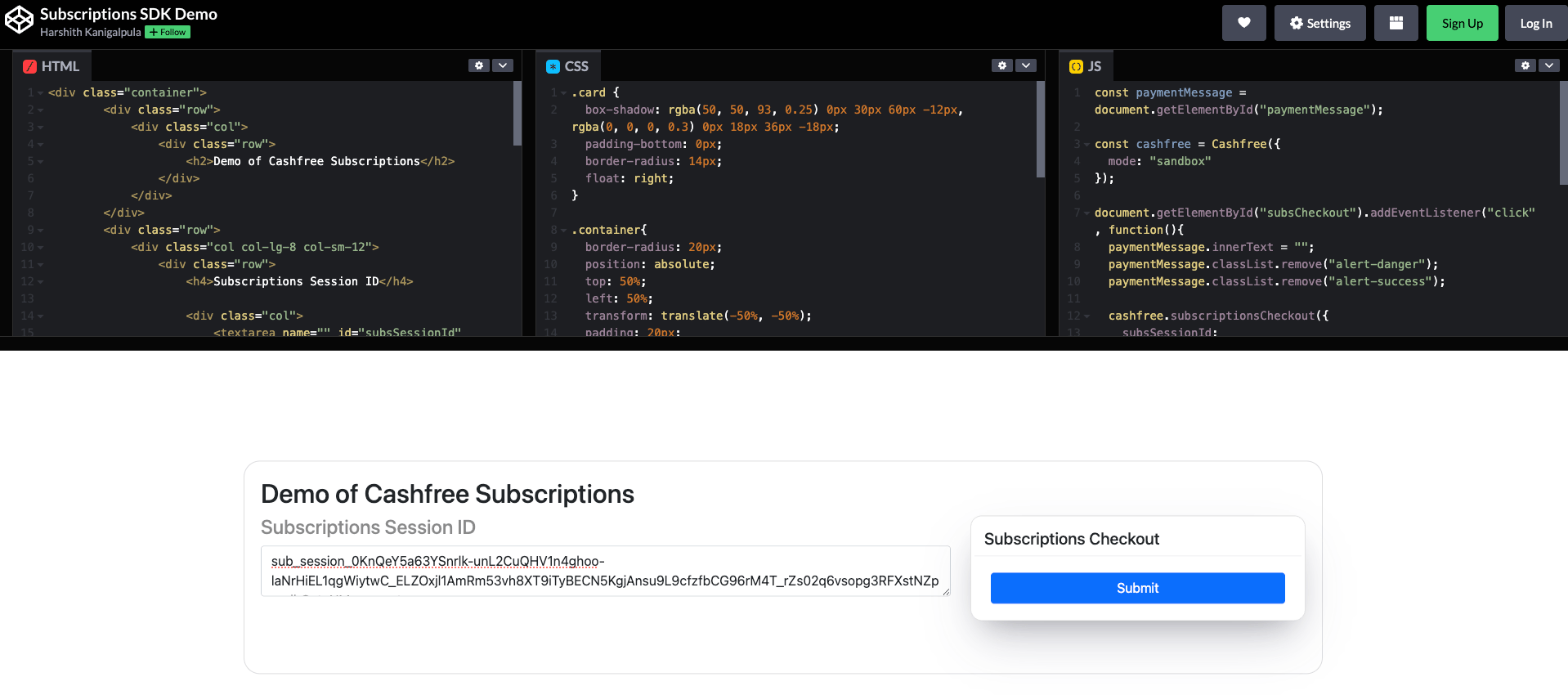
- Take the subscription_session_id and paste it in the codepen link and click on submit.
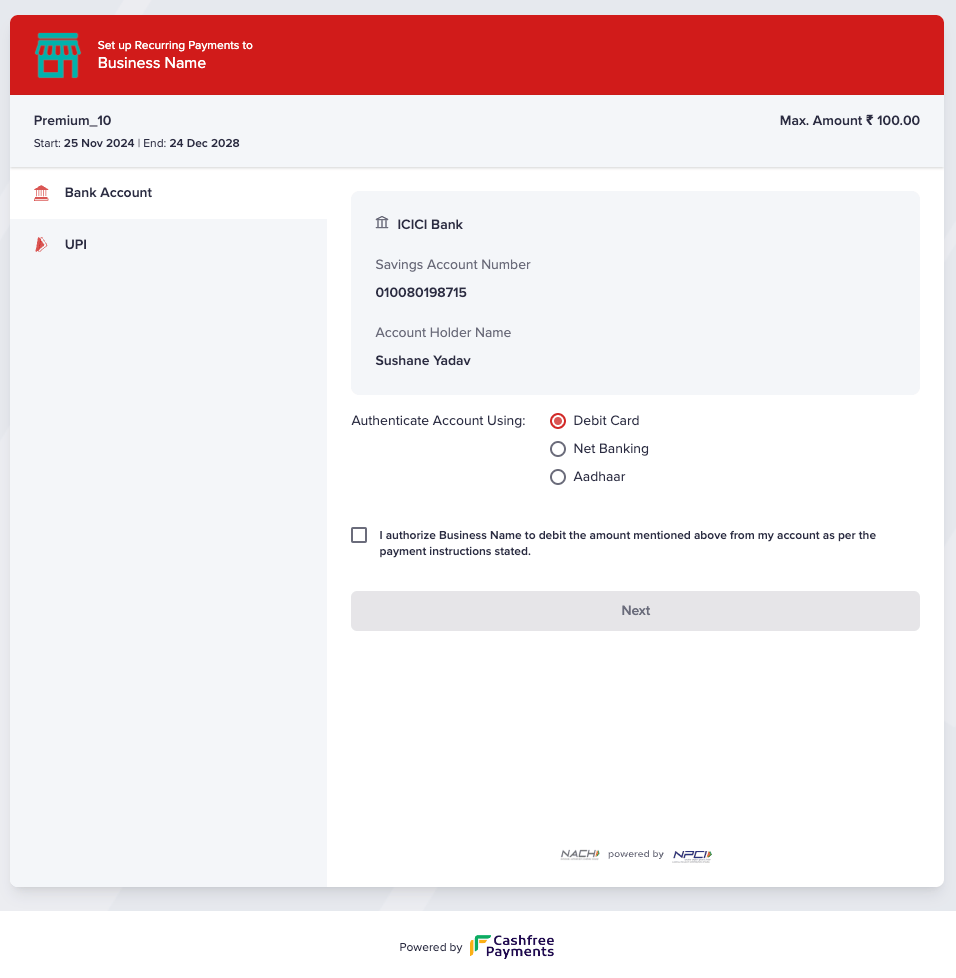
- You will be redirected to the subscription checkout page.
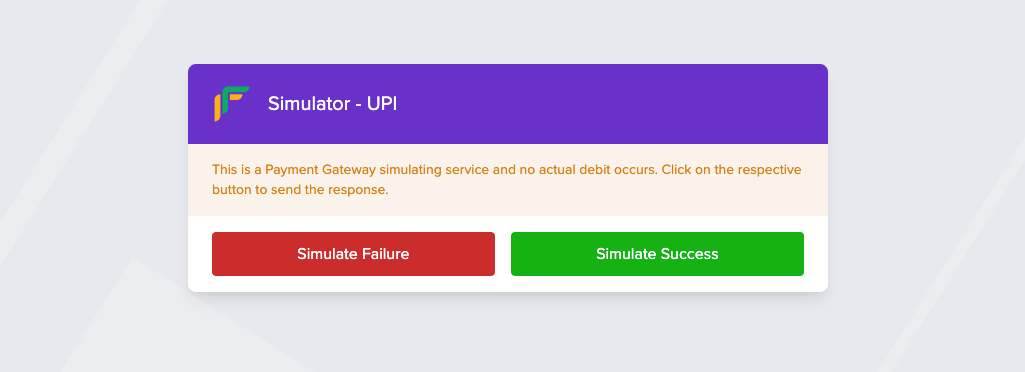
- Choose the payment mode you want to setup the subscription and submit. In case of sandbox you will be asked to simulate the payment.
- You will be redirected to the return url post the transaction is completed.
Step 4: Get Subscription Details
Use this API to check the subscription status and auth details post completion of the payment. API Documentation: Get Subscriptioncurl --request GET \
--url https://sandbox.cashfree.com/pg/subscriptions/{subscription_id} \
--header 'accept: application/json' \
--header 'x-api-version: 2023-08-01' \
--header 'x-client-id: xyz' \
--header 'x-client-secret: abc'
{
	"authorization_details": {
		"authorization_amount": 1,
		"authorization_amount_refund": true,
		"authorization_reference": "J7iuqUTKXxoNS17u5oBq4n24jYFAV5@upi",
		"authorization_time": "2024-11-25T22:05:25+05:30",
		"authorization_status": "ACTIVE",
		"payment_id": "513463",
		"payment_method": "upi",
		"instrument_id": null
	},
	"cf_subscription_id": "604456",
	"customer_details": {
		"customer_name": "Sushane Yadav",
		"customer_email": "sushane.yadav@abc.com",
		"customer_phone": "9999999999",
		"customer_bank_account_holder_name": "Sushane Yadav",
		"customer_bank_account_number": "010080198715",
		"customer_bank_ifsc": "ICIC0001008",
		"customer_bank_code": "ICIC",
		"customer_bank_account_type": "SAVINGS"
	},
	"plan_details": {
		"plan_id": "plan_cashfree_sbox",
		"plan_name": "Premium_10",
		"plan_type": "ON_DEMAND",
		"plan_max_cycles": null,
		"plan_recurring_amount": 0,
		"plan_max_amount": 100,
		"plan_interval_type": null,
		"plan_intervals": null,
		"plan_currency": "INR",
		"plan_note": null,
		"plan_status": null
	},
	"subscription_expiry_time": "2028-12-25T01:15:22+05:30",
	"subscription_first_charge_time": null,
	"subscription_id": "create-ondemand-subs-12",
	"subscription_meta": {
		"return_url": "https://wa.me/8473222?textPayment%20Successfull"
	},
	"subscription_payment_splits": null,
	"subscription_session_id": "sub_session_8NDk6JTfSb9elrakgfn8VE_1j_pJ7zEWdWJefDha68ddBjapy6AjlxLLYoObqxLvDYF1nysfWCbu11wPeJmQbub00dadRUs7rPIf1nc33-4F85BNjZV0_3uOdt7rDMkPUesto0wpayment",
	"subscription_status": "ACTIVE",
	"subscription_tags": {
		"subscription_note": "test create subs"
	}
}
Step 5: Raise a charge on subscription
API Documentation: Raise a chargecurl --request POST \
--url https://sandbox.cashfree.com/pg/subscriptions/pay \
--header 'accept: application/json' \
--header 'content-type: application/json' \
--header 'x-api-version: 2023-08-01' \
--header 'x-client-id: xyz' \
--header 'x-client-secret: abc' \
--data '{
"subscription_id": "create-ondemand-subs-12",
"payment_id": "test-payment-subs-07",
"payment_type": "CHARGE",
"payment_amount": 10,
"payment_remarks": "first payment",
"payment_schedule_date": "2024-11-30T14:15:22Z"
}'
{
	"action": null,
	"cf_payment_id": "513474",
	"channel": null,
	"data": null,
	"payment_amount": 10,
	"payment_id": "test-payment-subs-07",
	"payment_method": null,
	"payment_status": "INITIALIZED",
	"payment_type": "CHARGE",
	"subscription_id": "create-ondemand-subs-12"
}