
Applicable only for eNACH & Physical NACH mandates]
Initiate Porting Process
Telr will assist you throughout the mandate porting process.1
Contact Telr Support
Reach out to the Telr support team to initiate the porting process. Nominate Telr as your preferred payment processing partner for your Utility Code
or mandates.
2
Partner Bank Coordination
Once you’ve initiated the process, our team will guide you through the necessary steps to share the list of mandates with your partner bank. This ensures
their systems are updated to reflect the change.
3
Import Mandates into Telr
Import the updated list of mandates into Telr’s system.
4
Start Processing Payments
With the mandates successfully imported, you can begin processing payments through Telr.
Import Mandates to Telr
To import the mandates, you must upload the file with all the details in the NPCI file format or in the Telr-specified format. Once the file is uploaded, you can check the status of the import by downloading the mandate file. The file also includes the reason for rejection for cases where Telr is unable to import the mandate.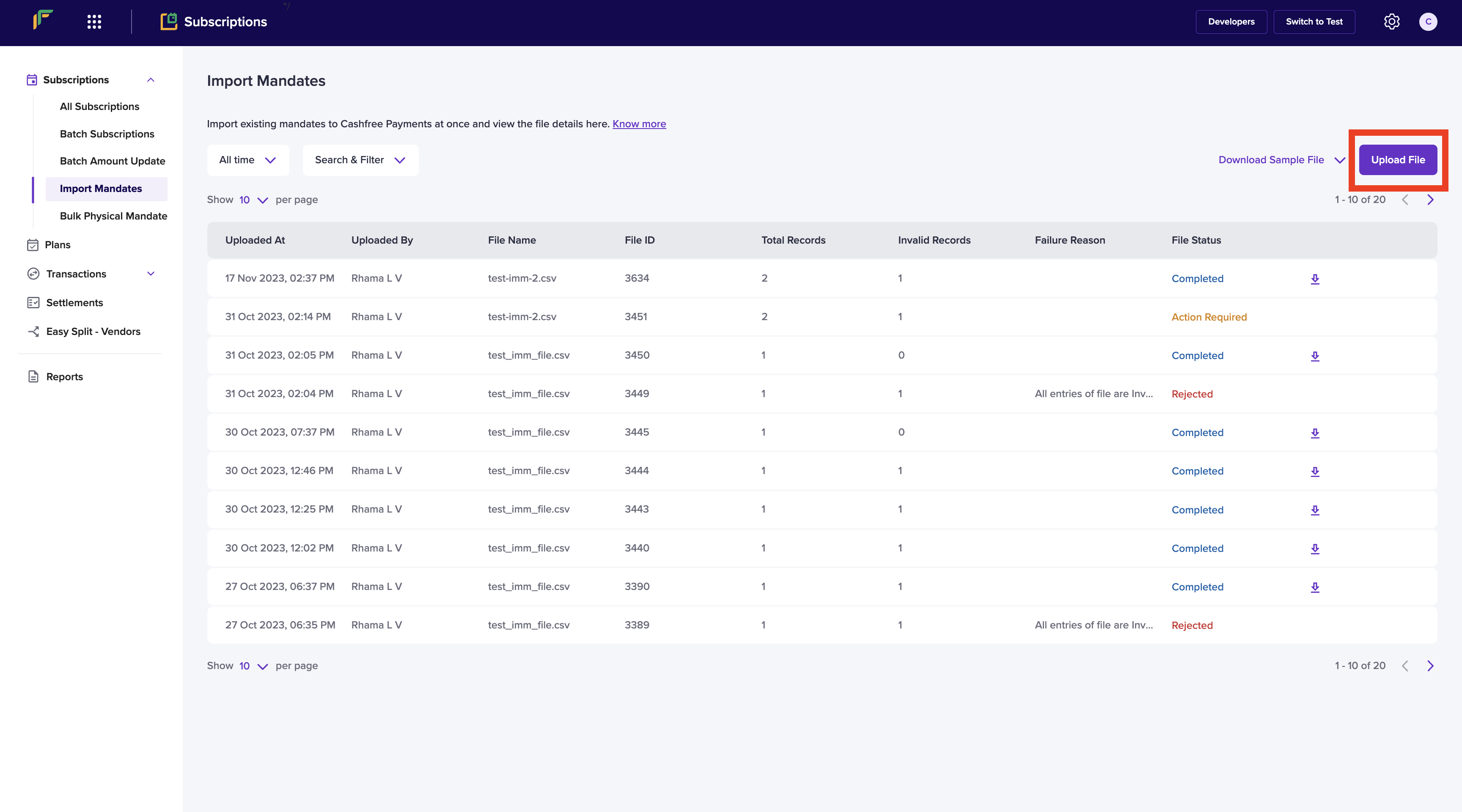
File Format
Conditional Fields
Optional Fields