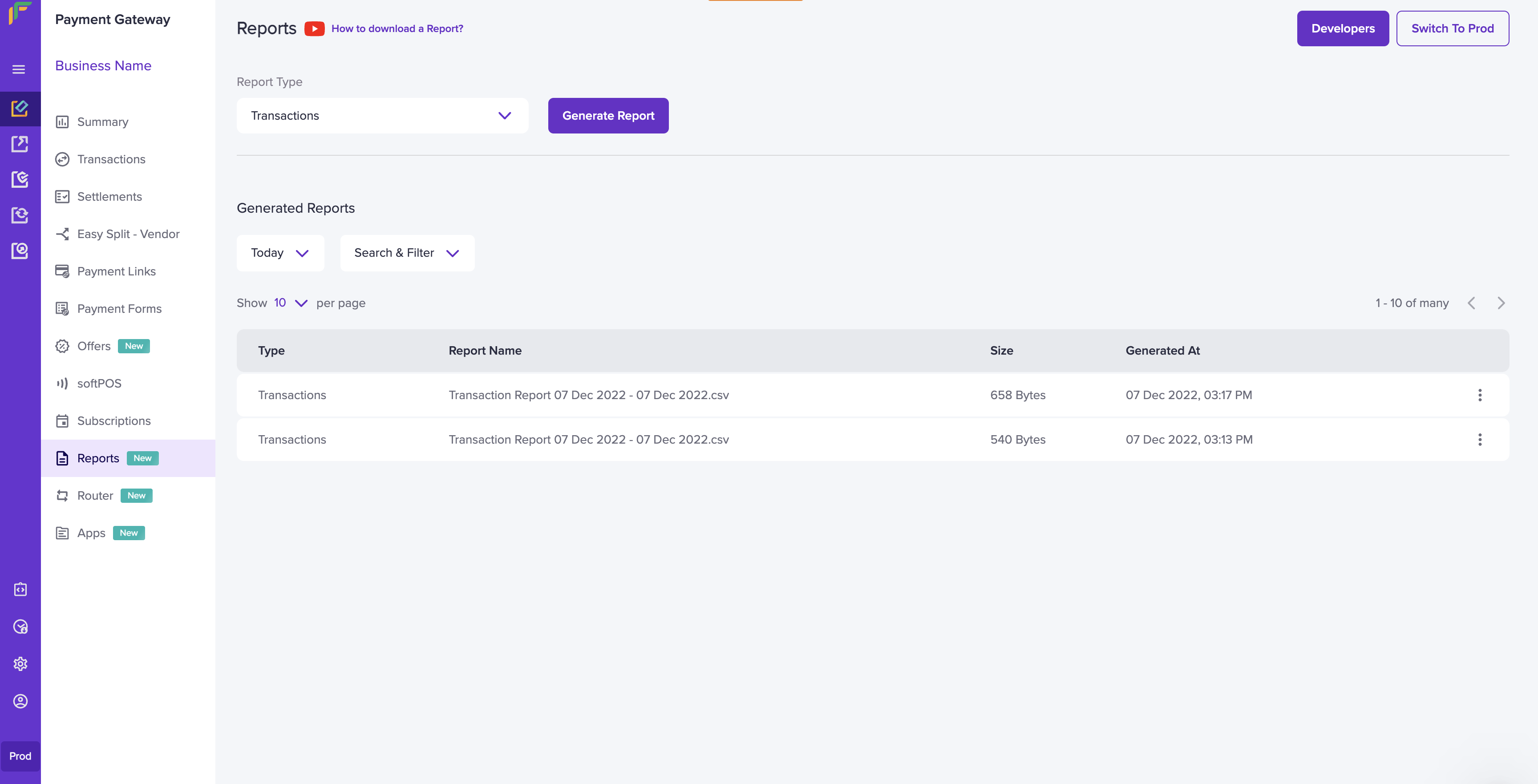
- Go to Payment Gateway Dashboard > Reports.
- In the Report Type field, select Transactions, and click Generate Report.
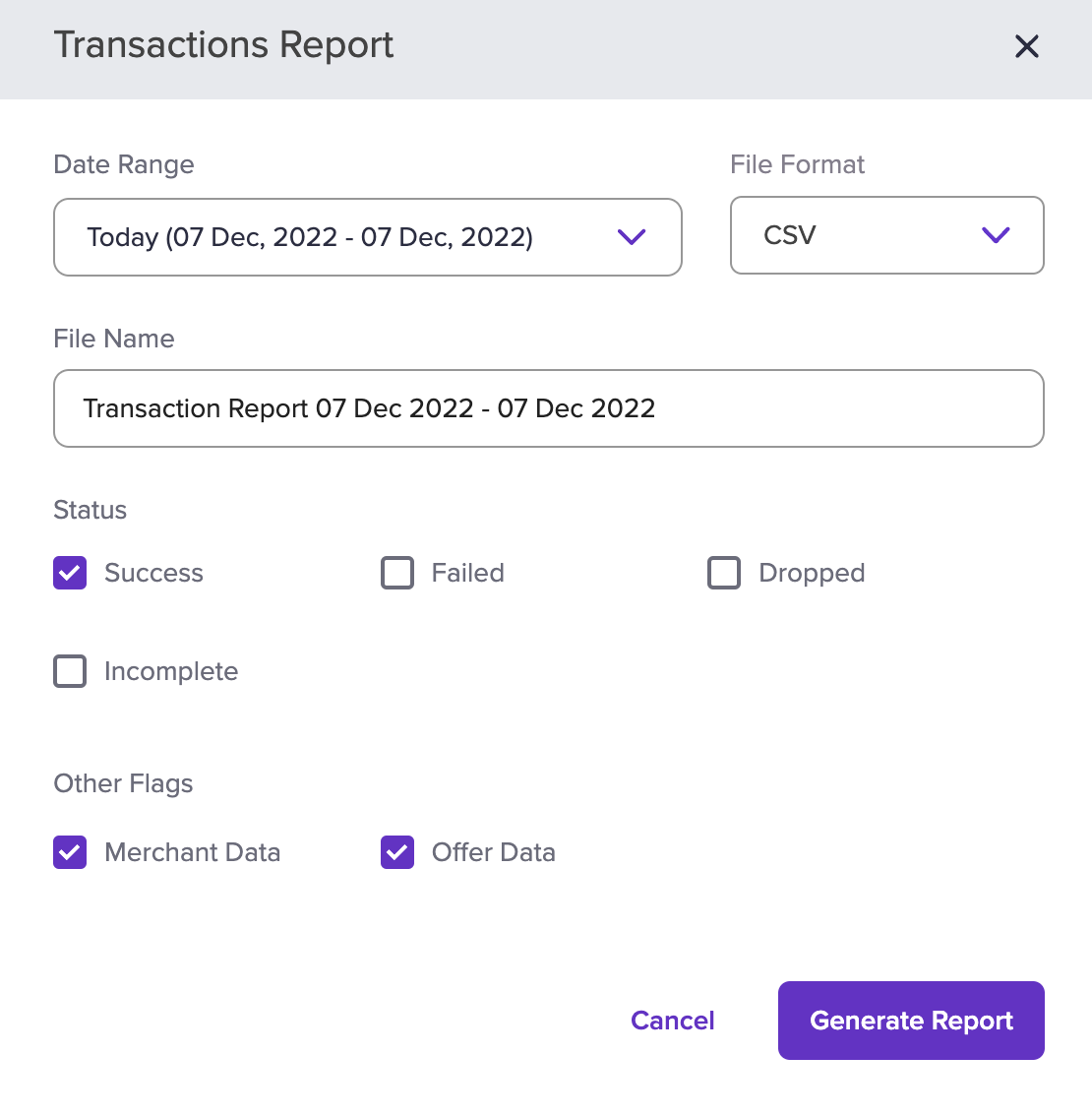
- Select the date range for which you want to view the report, file format, file type, and transaction status. You can add the merchant date and offer data if any in your report. Once done choosing the options, click Generate Report.