> ## Documentation Index
> Fetch the complete documentation index at: https://telr-docs.cashfree.com/llms.txt
> Use this file to discover all available pages before exploring further.
# Overview
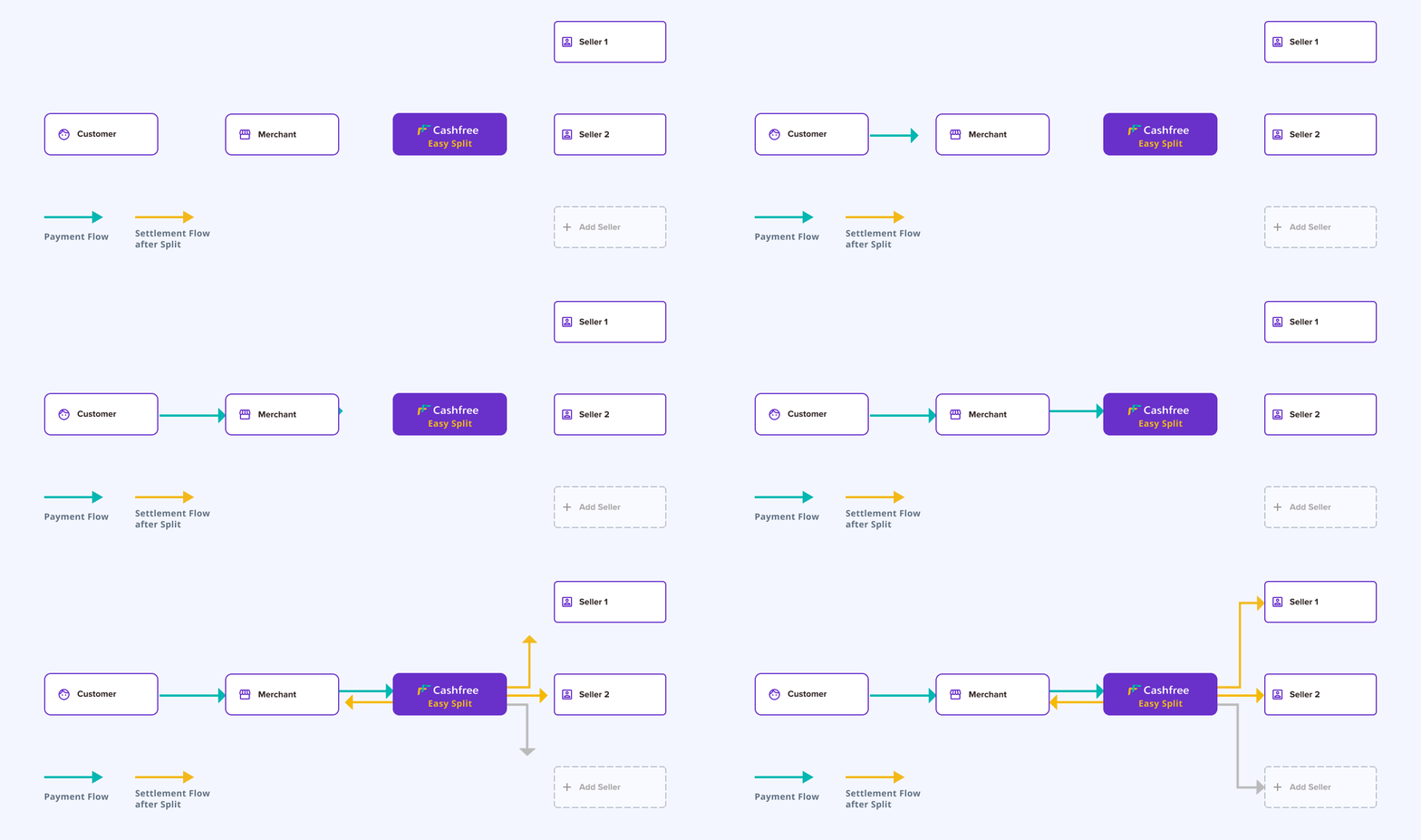
Easy Split automates payment splitting between you and your vendors. With Easy Split, you can:
* Onboard, manage and disburse payments to vendors
* Perform splits at order level and manage refunds from vendors smoothly
* Track all transactions through detailed reports covering:
* Settlements
* Refunds
Requirements:
Your Telr account must use one of these collections products:
1. Payment Gateway
2. Payment Links/Forms
3. Subscriptions
To enable Easy Split, contact your account manager.
## Workflow
## Benefits
* Onboard vendors through API integration - Set up automated settlements
* Split customer payments among vendors - Choose between instant settlements
or custom schedules - Set order-level settlement timing for each vendor
* Track all transactions via API - Receive real-time webhook notifications
for: - Payment status - Settlement status - Refund status
* View transaction details - Track settlements - Monitor refunds - Review
vendor payments - Access adjustment records
* Specify refund split ratios between you and vendors - Automatically adjust
vendor settlements
 ## Benefits