> ## Documentation Index
> Fetch the complete documentation index at: https://telr-docs.cashfree.com/llms.txt
> Use this file to discover all available pages before exploring further.
# Disputes Notifications
When your customer files a dispute against a payment, the issuing bank informs us of the dispute and we notify you through Email Notifications or [Webhooks](doc:dispute-webhooks).
## Email Notifications
Email notifications can be configured from the [merchant dashboard](https://telr.cashfree.com/merchants). Emails on which the merchant wants to receive these notifications can be configured from the [merchant dashboard](https://telr.cashfree.com/merchants) by following the below steps:
Go to **Payment Gateway Dashboard** > **Settings** > **Email Notifications** > **Dispute Emails**.
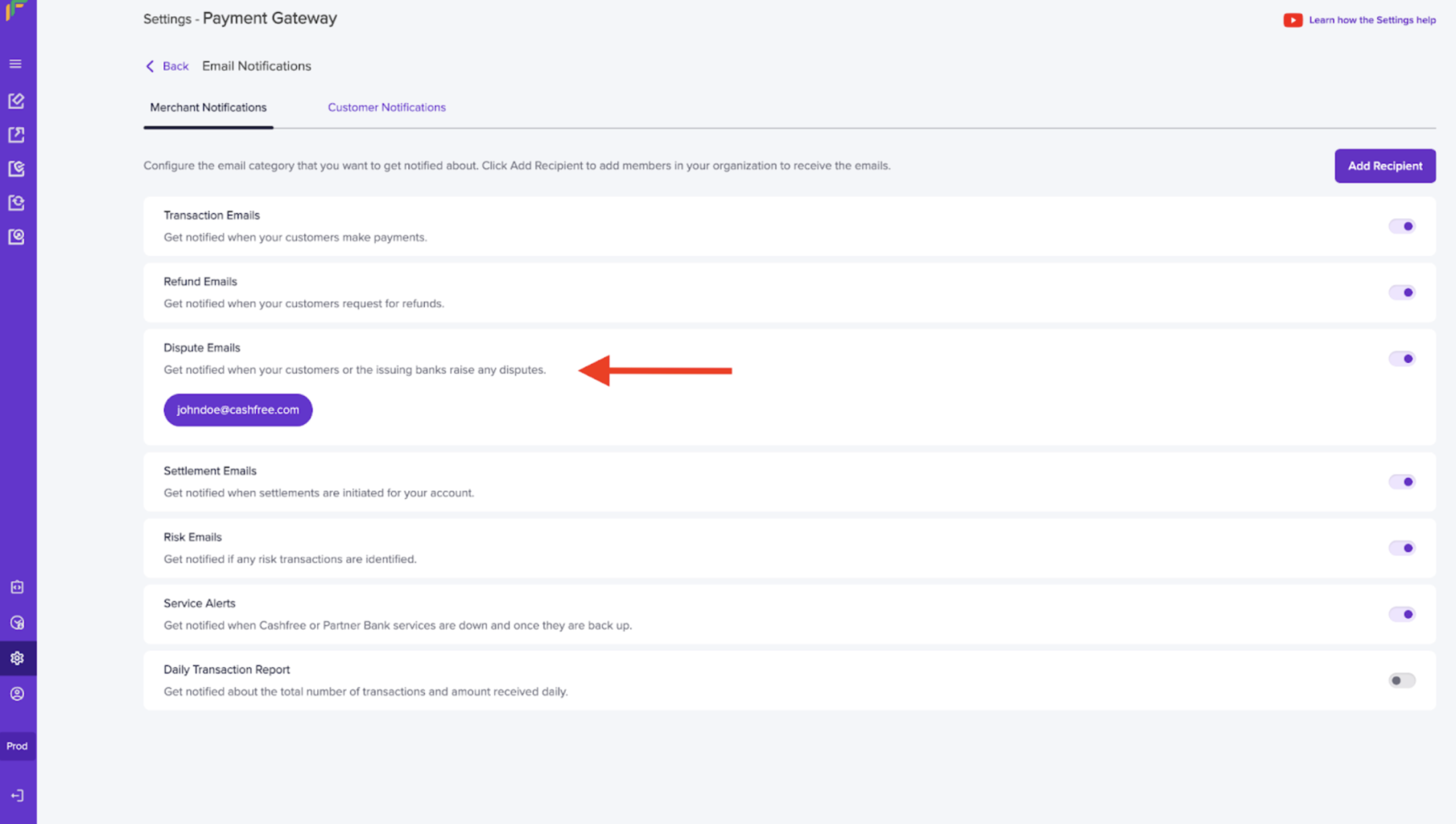 We notify you through email in the following scenarios:
| Scenarios | Description |
| :------------------------ | :-------------------------------------------------------------------------------------------------------------- |
| Dispute created | You will be notified when there is a new dispute that your customer raises. |
| Dispute phase/type change | You will be notified when there is a change in the dispute phase (Pre-arbitration, Arbitration). |
| States change | You will be notified when there is a change in the dispute state, for example, Action Required -> Under Review. |
| Comment updated | You will be notified when there is a comment updated. |
| Reminder email | You will be notified when the dispute has reached the deadline day. |
***
## Webhooks
Dispute webhooks can be configured to receive automated notifications when disputes are created, updated and closed.
To add a new webhook,
1. Go to **Payment Gateway Dashboard** > **Developers** or click the **Developers** option from the homepage.
2. The following events apply to dispute webhooks:
* dispute created
* dispute closed
* dispute updated
3. Click **Add Webhook Endpoint** to create a new webhook. Enter the **endpoint URL** and select the **webhook version** using the drop-down menu. The available API versions are 2021-09-21, 2022-09-01. Click on **Test** to verify if the webhook endpoint returns a response. Once done, click **Next**.
4. Select the respective event and click **Add Webhook**.
We notify you through email in the following scenarios:
| Scenarios | Description |
| :------------------------ | :-------------------------------------------------------------------------------------------------------------- |
| Dispute created | You will be notified when there is a new dispute that your customer raises. |
| Dispute phase/type change | You will be notified when there is a change in the dispute phase (Pre-arbitration, Arbitration). |
| States change | You will be notified when there is a change in the dispute state, for example, Action Required -> Under Review. |
| Comment updated | You will be notified when there is a comment updated. |
| Reminder email | You will be notified when the dispute has reached the deadline day. |
***
## Webhooks
Dispute webhooks can be configured to receive automated notifications when disputes are created, updated and closed.
To add a new webhook,
1. Go to **Payment Gateway Dashboard** > **Developers** or click the **Developers** option from the homepage.
2. The following events apply to dispute webhooks:
* dispute created
* dispute closed
* dispute updated
3. Click **Add Webhook Endpoint** to create a new webhook. Enter the **endpoint URL** and select the **webhook version** using the drop-down menu. The available API versions are 2021-09-21, 2022-09-01. Click on **Test** to verify if the webhook endpoint returns a response. Once done, click **Next**.
4. Select the respective event and click **Add Webhook**.
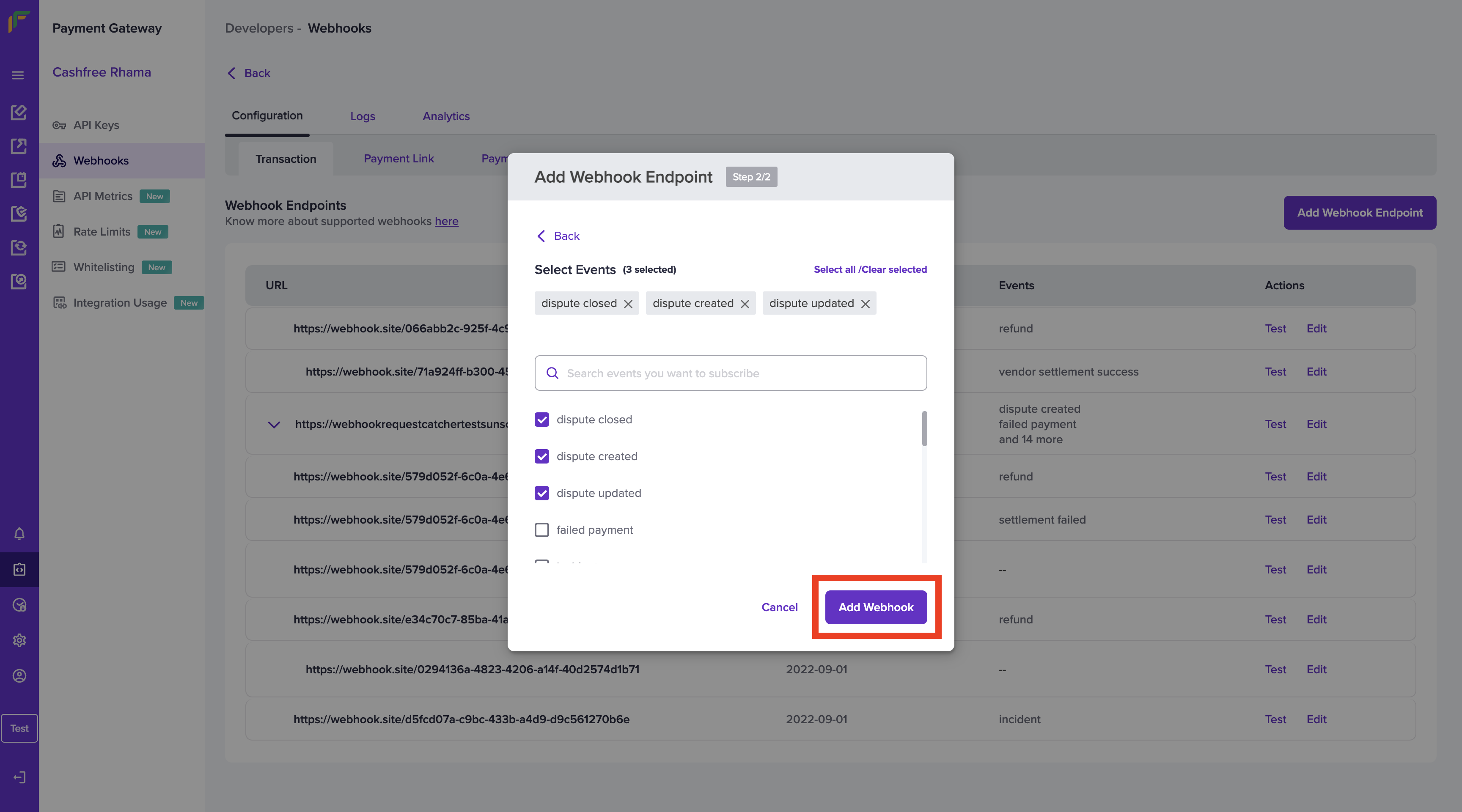 6. The webhook is added successfully. You can test the webhook and edit it from the webhook homepage.
### Test Webhook Endpoint
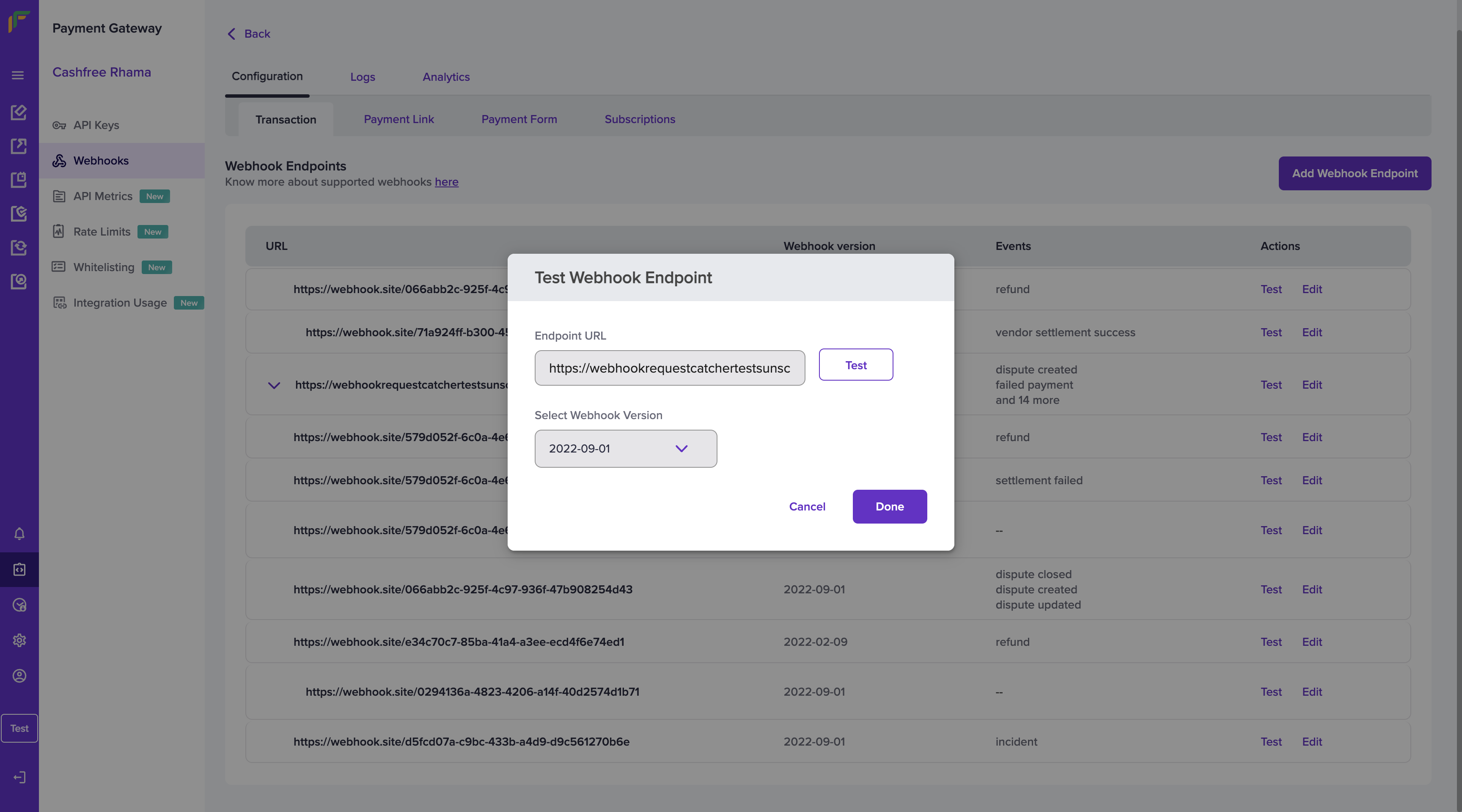
You can test the URL at any time using the Test option. Click the **Test** option in the Test Webhook Endpoint pop-up. Click **Done** once you get a successful response.
6. The webhook is added successfully. You can test the webhook and edit it from the webhook homepage.
### Test Webhook Endpoint
You can test the URL at any time using the Test option. Click the **Test** option in the Test Webhook Endpoint pop-up. Click **Done** once you get a successful response.
 ### Edit Webhook Endpoint
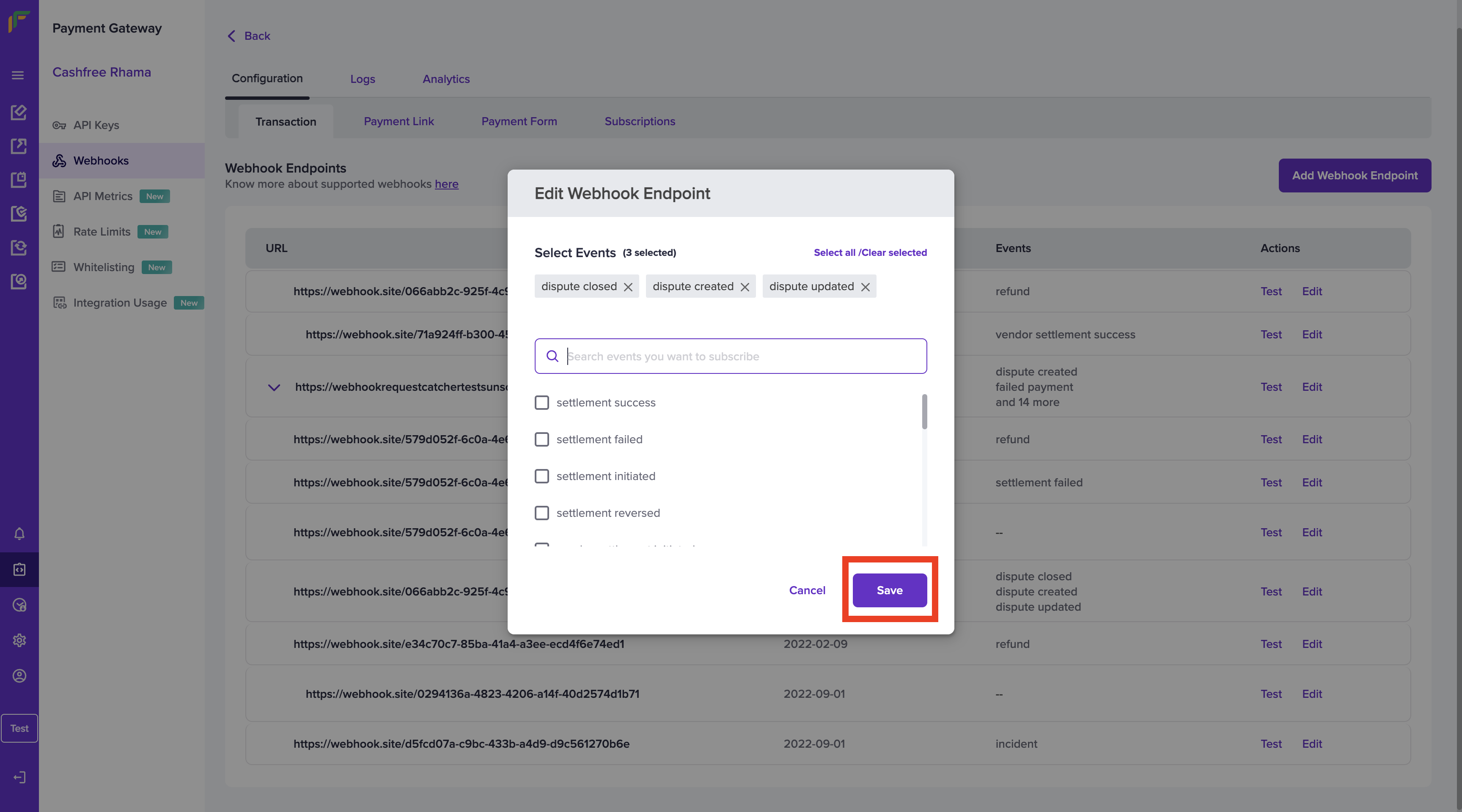
You also have the option of editing a webhook. Click the **Edit** option on the webhook that is to be edited and select the events you want to add/remove to the webhook. Once done click **Save**.
### Edit Webhook Endpoint
You also have the option of editing a webhook. Click the **Edit** option on the webhook that is to be edited and select the events you want to add/remove to the webhook. Once done click **Save**.
 Click [here](doc:dispute-webhooks) to read more on the different types of dispute webhooks, along with their sample payloads.