> ## Documentation Index
> Fetch the complete documentation index at: https://telr-docs.cashfree.com/llms.txt
> Use this file to discover all available pages before exploring further.
# Customise Checkout
> Customize your checkout theme and
## Overview
The *Canvas* branding dashboard aims to enable you to customise every visual detail of all the components present in the checkout page to make it look like a true extension of your own platform. This helps in instilling trust in customers regarding the authenticity of the checkout page and makes the visual transition from your platform to checkout much smoother.
## How to customise the checkout page
Follow the instructions below to customise the checkout page from the dashboard:
1. Log in to the *Cashfree Payments* dashboard using your credentials.
2. Navigate to **Checkout One** > **Canvas** from the *Payment Gateway* dashboard, or navigate to **Settings** > **Branding**.
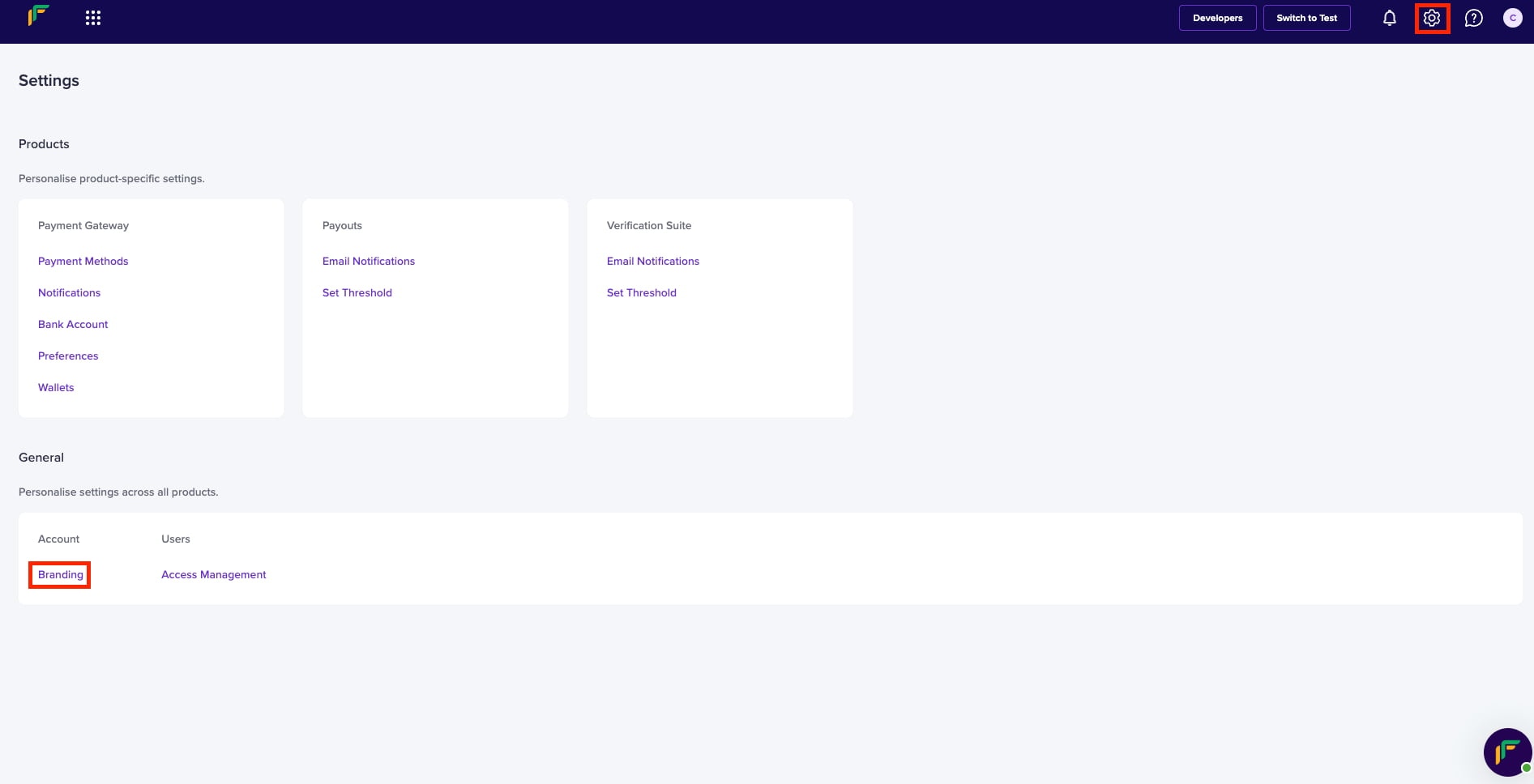
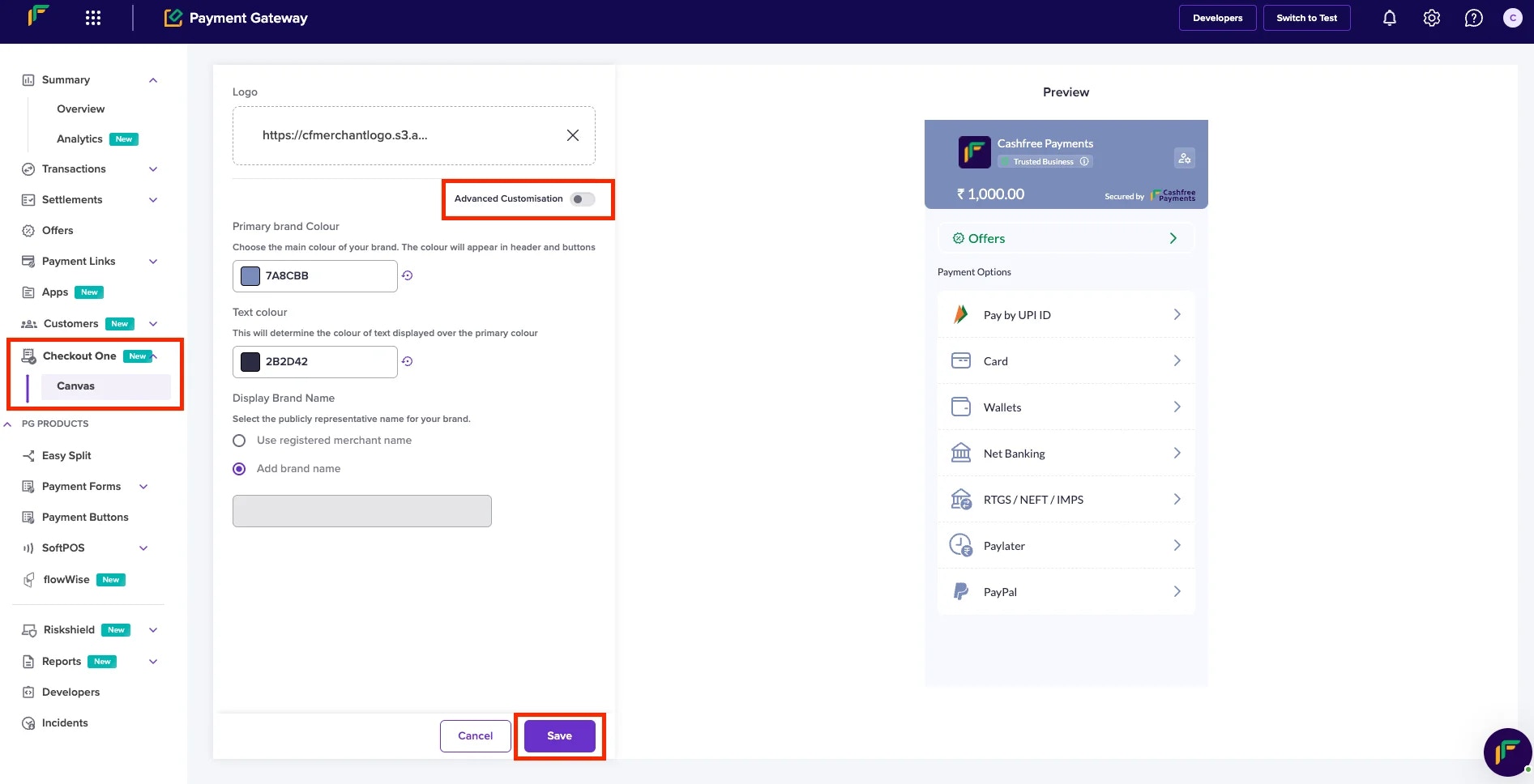
3. Customise the checkout page using the basic options, or click **Advanced Configuration** for more detailed customisation tailored to your specific needs.
4. Click **Save**.
Read the following to understand the Basic and Advanced options that help you fulfil your business needs.
***
## Basic configurations
Quick configuration option allows you to customise checkout with minimalist branding like adding their primary colour on checkout.\
Configurations available:
* **Logo**
Logo is a graphic mark used for a company's identification.
* **Primary Colour**
It is the most prominent colour for a company's identity. Headers, icons, call to action (CTAs), and all the clickable elements on the checkout page will displays this colour.
* **Text Colour**
It defines the colour of the text used on the headers. Note that the text along with the colour will display over the header colour.
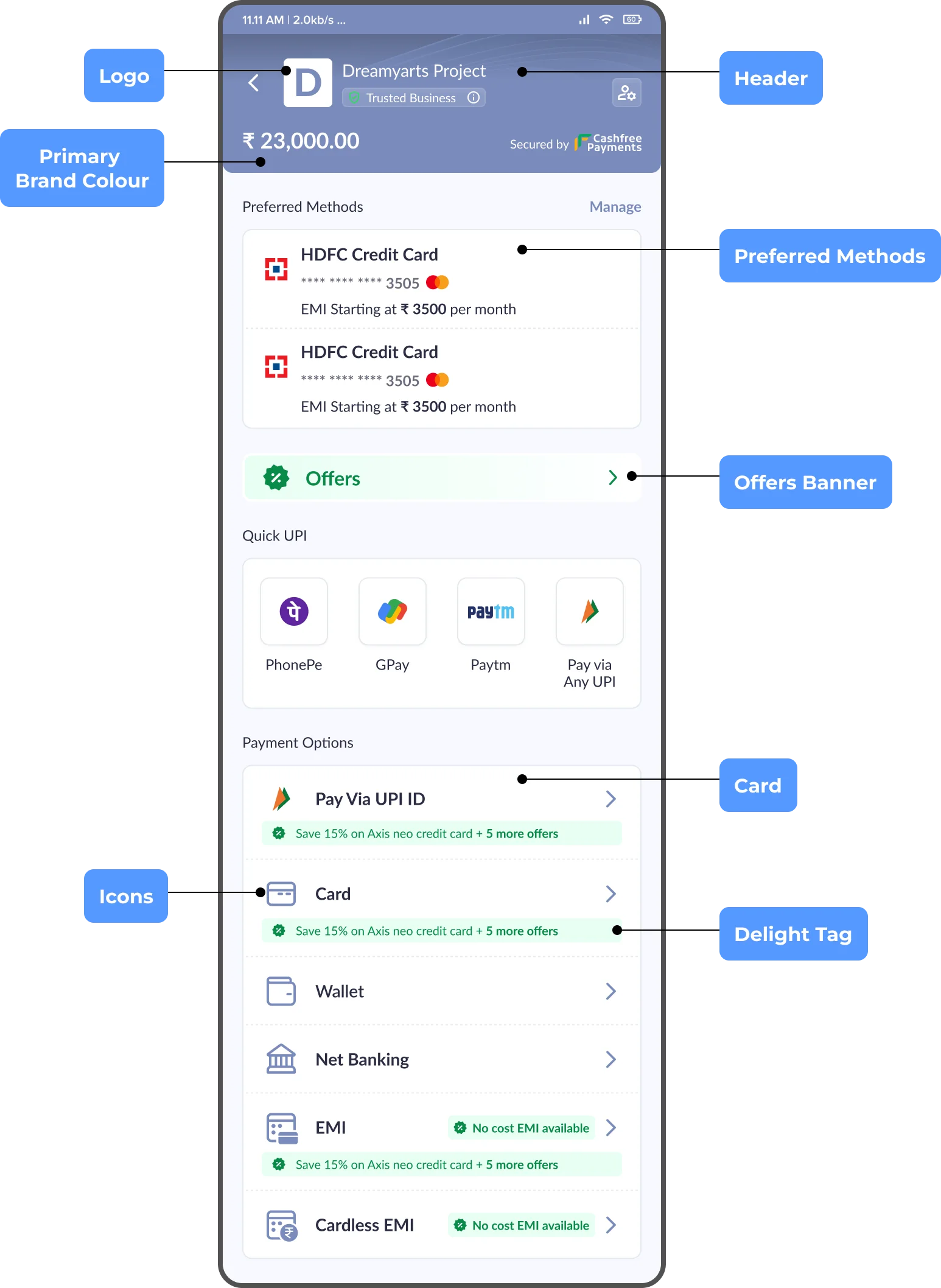 ***
## Advanced configurations
Detailed configuration option allows you to customise checkout to match the exact visual styling of their platform\
Configurations available:
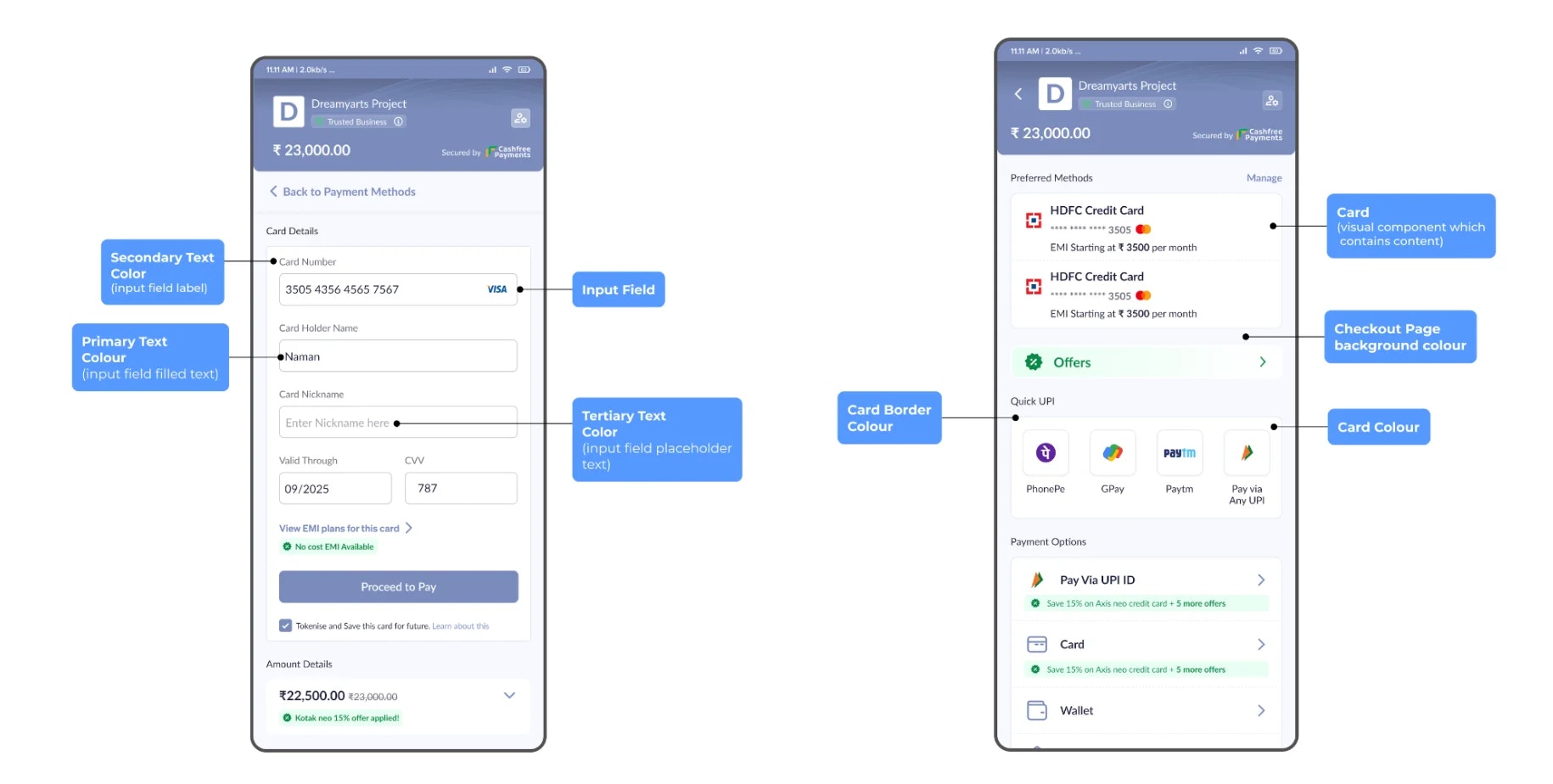
### Layout and Typography
You can configure the following options:
* Checkout page background colour
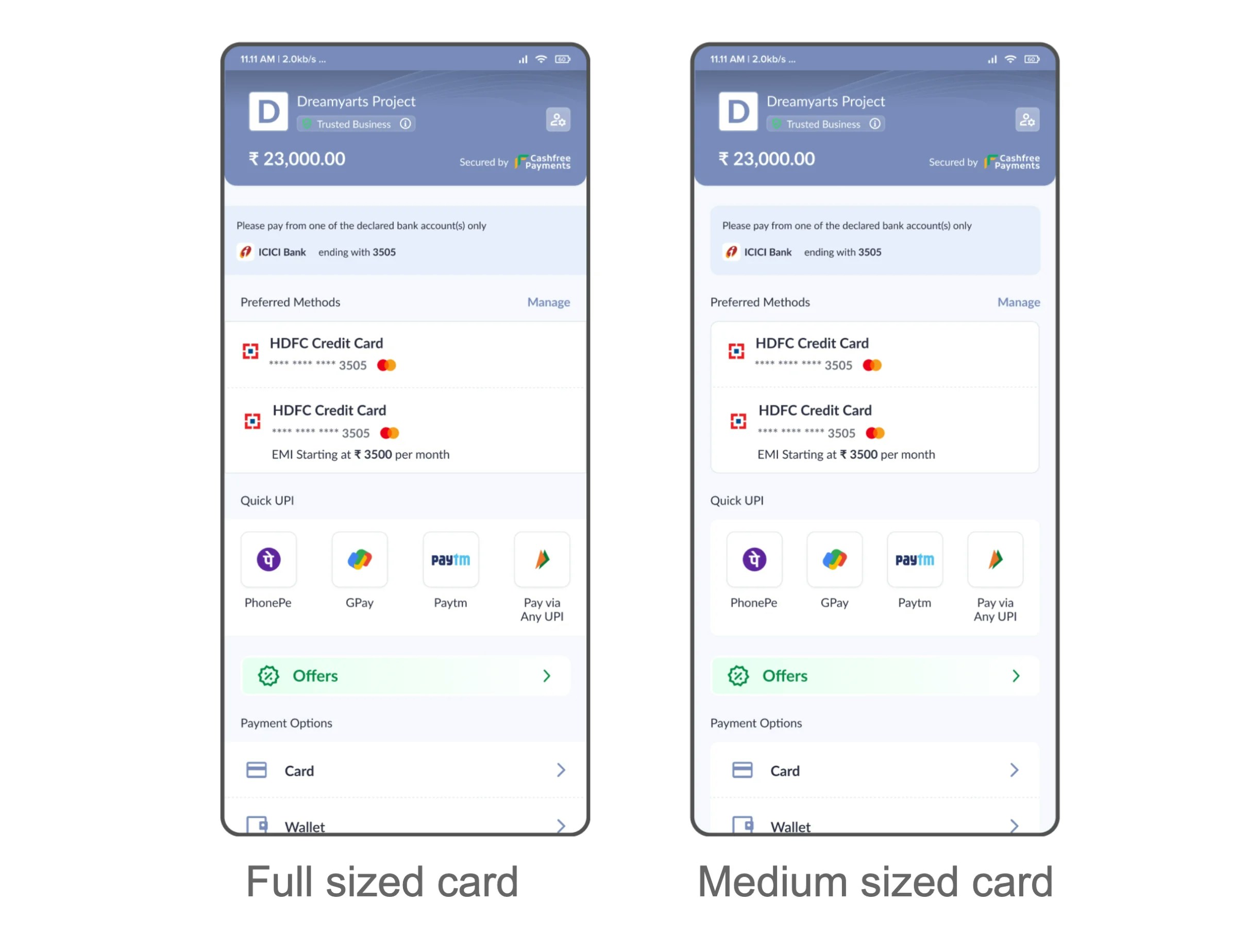
* Card style - full or medium sized
* Card colour
* Card border colour
* Card corner radius
* Primary text colour
* Secondary text colour
* Tertiary text colour
***
## Advanced configurations
Detailed configuration option allows you to customise checkout to match the exact visual styling of their platform\
Configurations available:
### Layout and Typography
You can configure the following options:
* Checkout page background colour
* Card style - full or medium sized
* Card colour
* Card border colour
* Card corner radius
* Primary text colour
* Secondary text colour
* Tertiary text colour
 ***
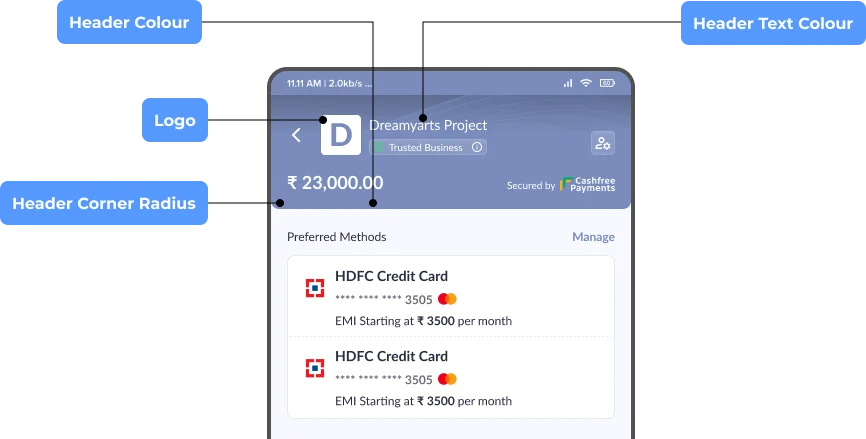
### Header
You can configure the following options:
* Header colour
* Header text colour
* Header corner radius
* Logo
***
### Header
You can configure the following options:
* Header colour
* Header text colour
* Header corner radius
* Logo
 ***
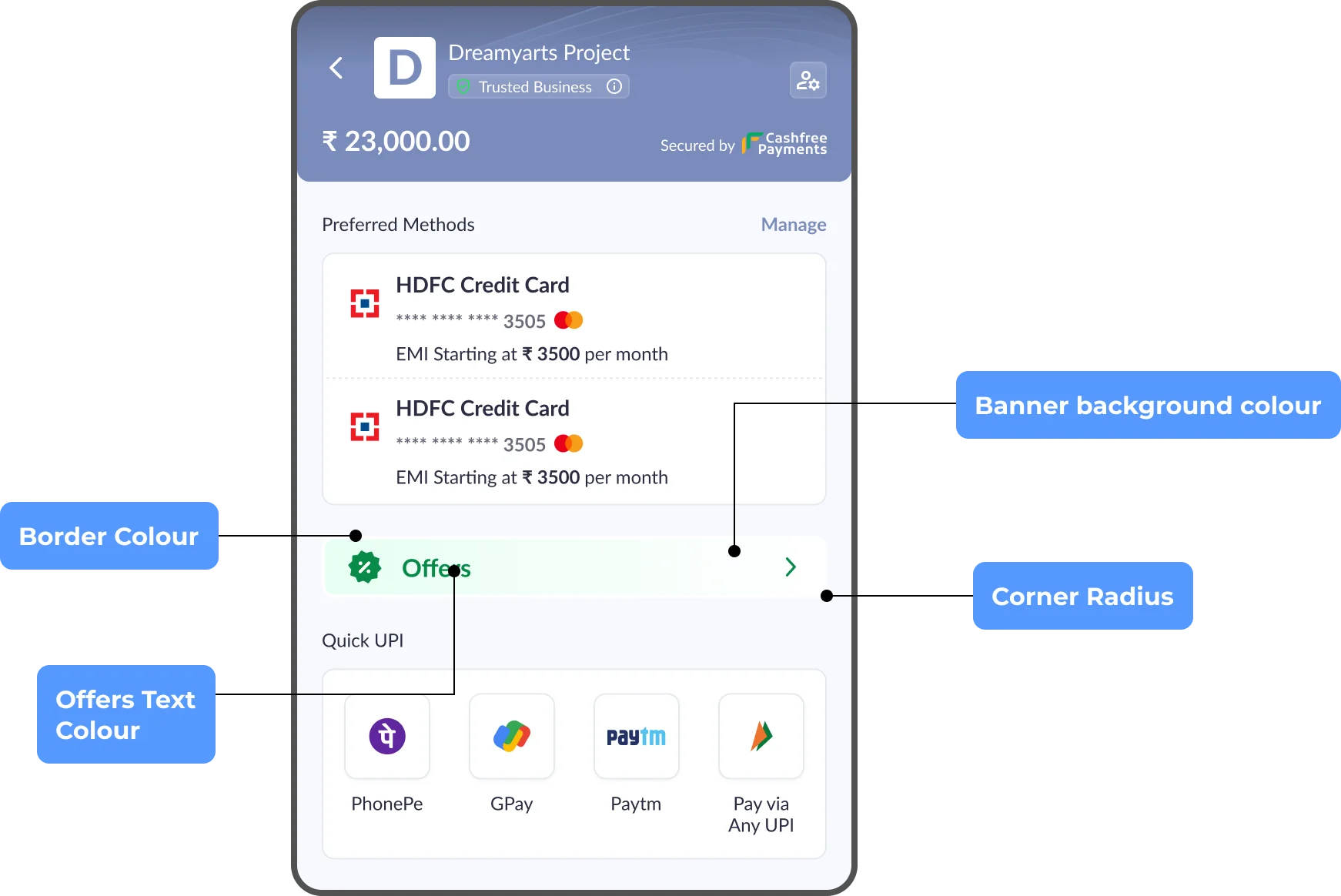
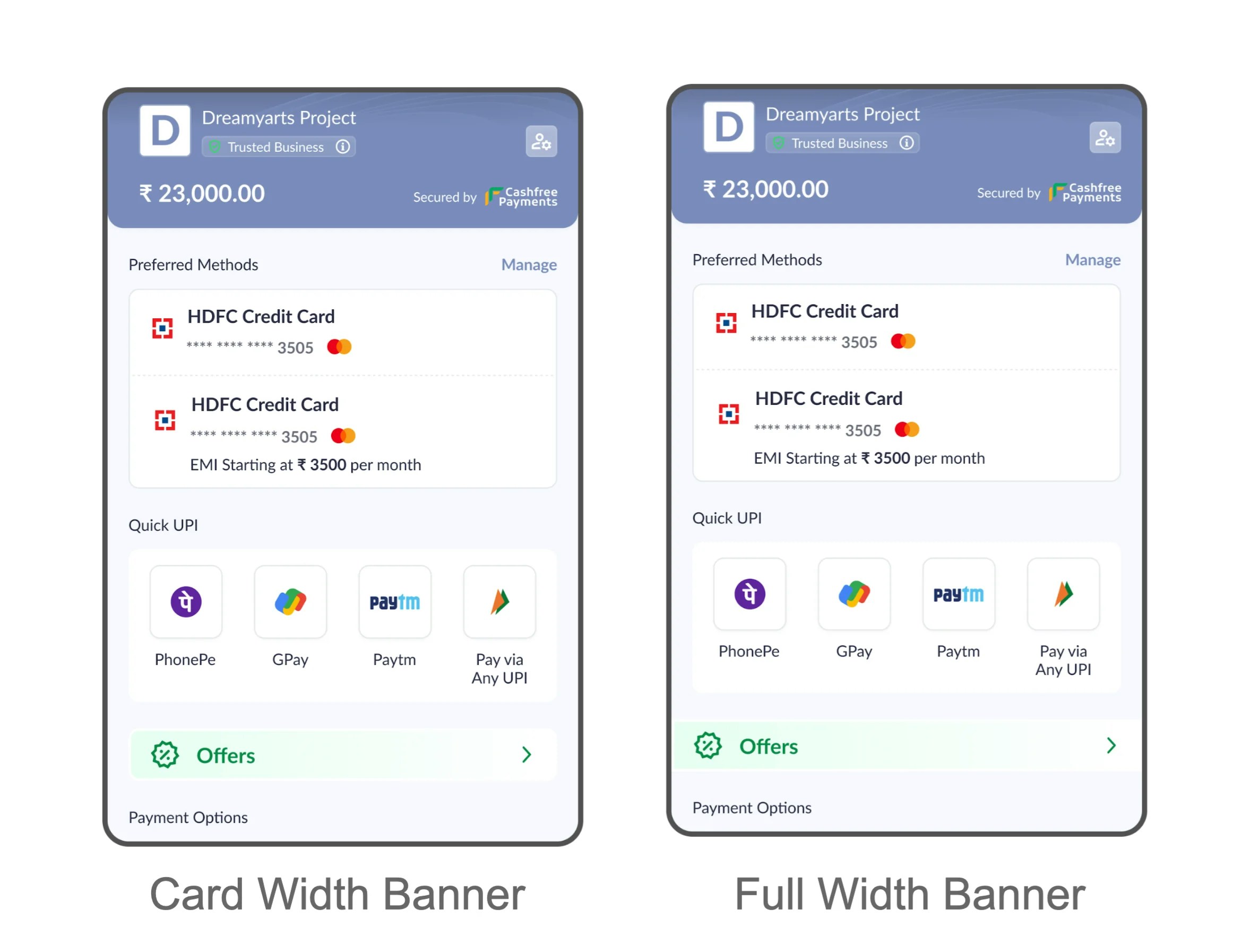
### Offers Banner
You can configure the following options:
* Offer banner style - card width or full width
* Banner background colour
* Banner border colour
* Banner corner radius
* Offers text colour
***
### Offers Banner
You can configure the following options:
* Offer banner style - card width or full width
* Banner background colour
* Banner border colour
* Banner corner radius
* Offers text colour
 ***
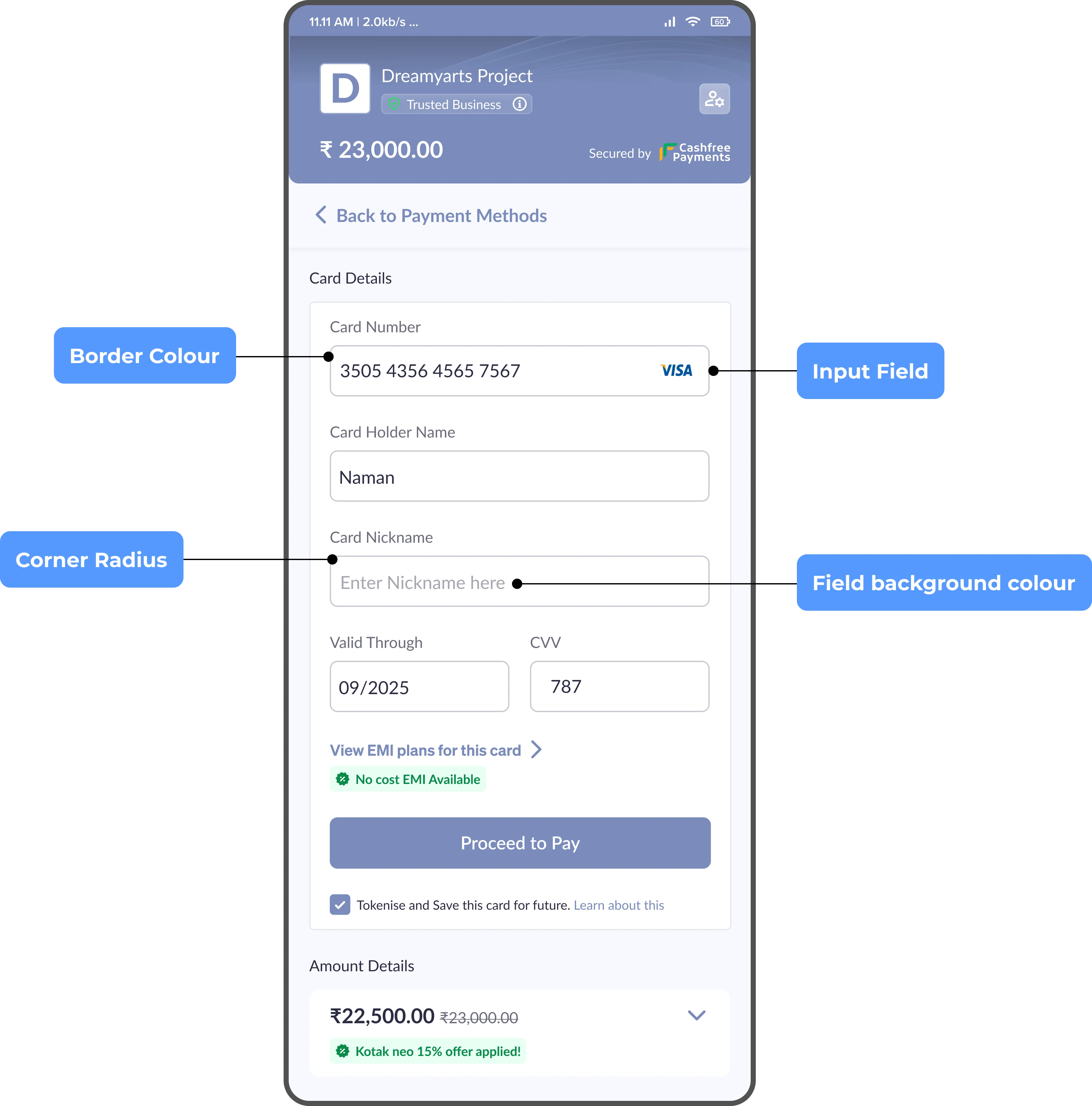
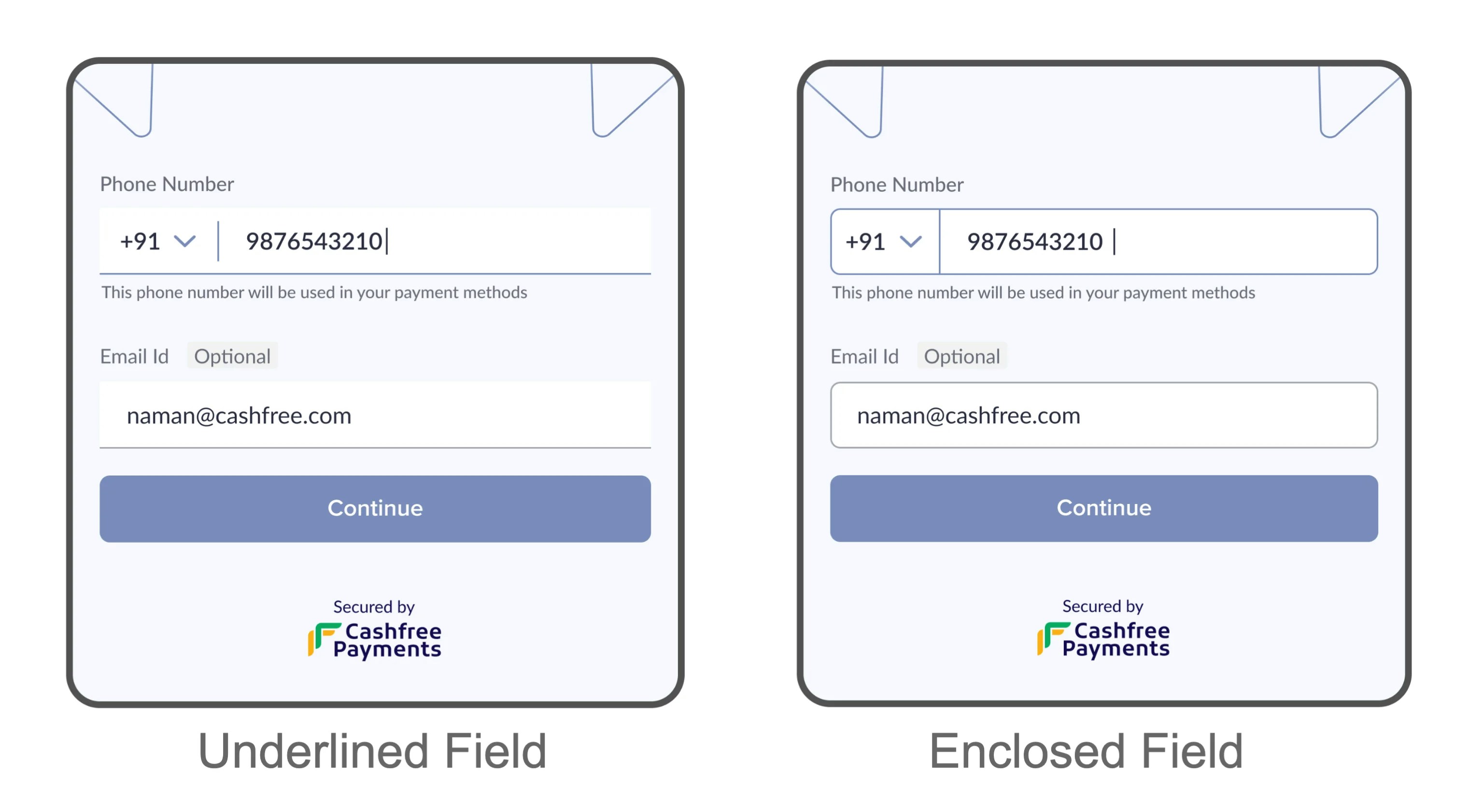
### Input Fields
You can configure the following options:
* Input field style - underlined or enclosed
* Field corner radius
* Field background colour
* Field border colour
***
### Input Fields
You can configure the following options:
* Input field style - underlined or enclosed
* Field corner radius
* Field background colour
* Field border colour
 ***
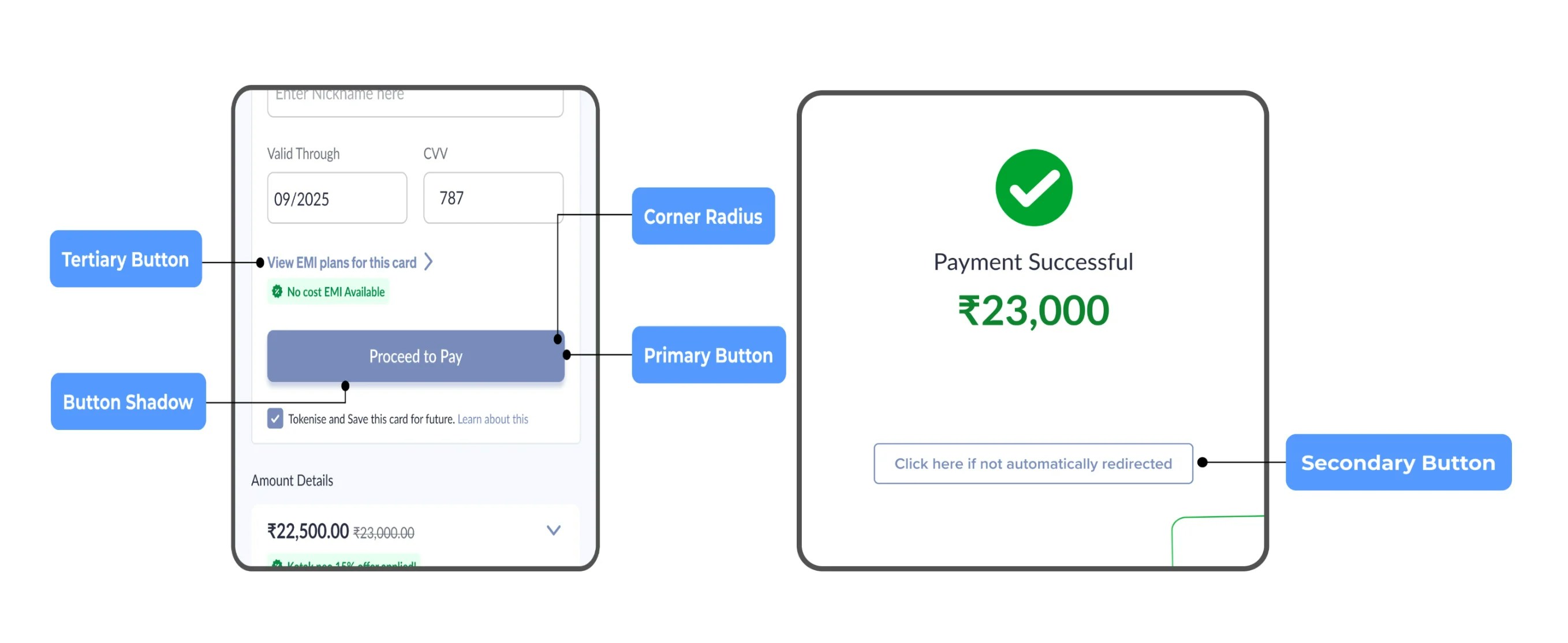
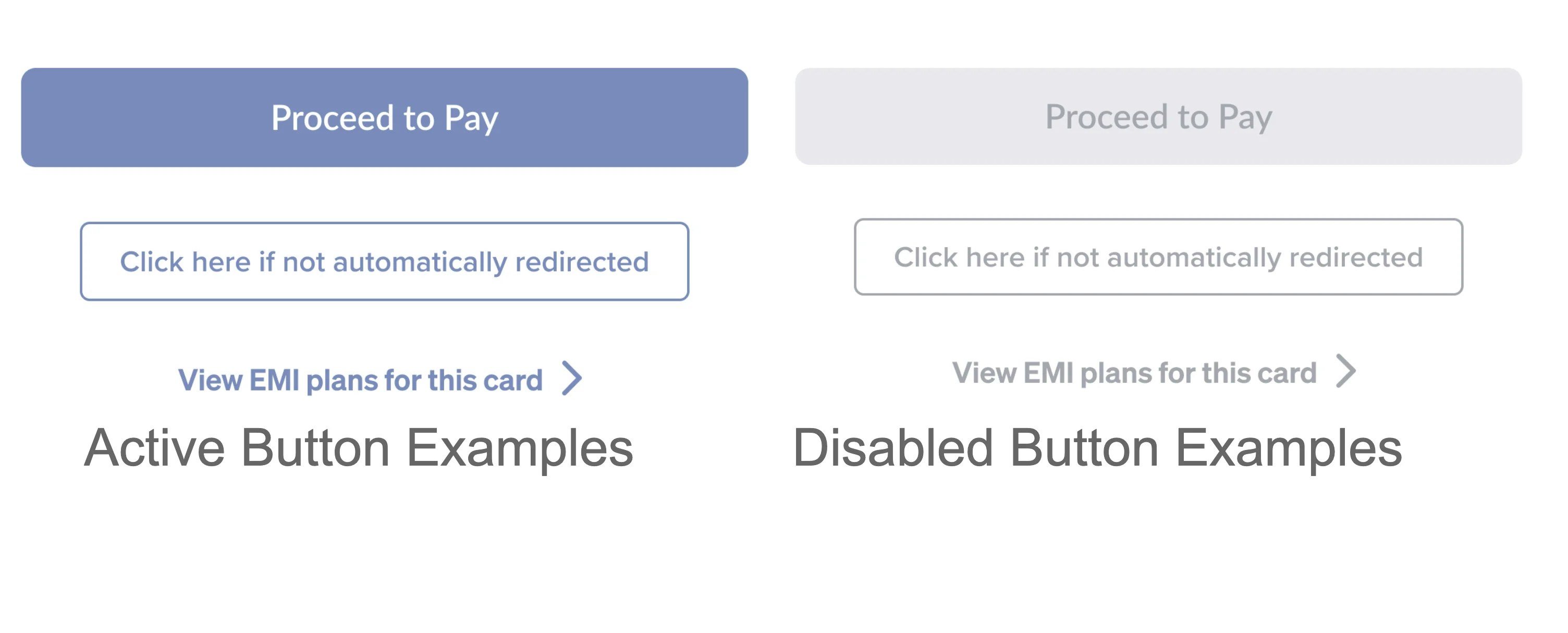
### Buttons
You can configure the following options:
* Primary button
| Button Type | Configuration |
| :---------- | :------------------------- |
| Active | Button colour, text colour |
| Disabled | Button colour, text colour |
* Secondary button
| Button Type | Configuration |
| :---------- | :------------------------- |
| Active | Border colour, text colour |
| Disabled | Border colour, text colour |
* Tertiary button
| Button Type | Configuration |
| :---------- | :------------ |
| Active | Text colour |
| Disabled | Text colour |
* Button shadow
* Button corner radius
***
### Buttons
You can configure the following options:
* Primary button
| Button Type | Configuration |
| :---------- | :------------------------- |
| Active | Button colour, text colour |
| Disabled | Button colour, text colour |
* Secondary button
| Button Type | Configuration |
| :---------- | :------------------------- |
| Active | Border colour, text colour |
| Disabled | Border colour, text colour |
* Tertiary button
| Button Type | Configuration |
| :---------- | :------------ |
| Active | Text colour |
| Disabled | Text colour |
* Button shadow
* Button corner radius
 ### Icons
You can configure the following options:
* Icon style
* Icon colour
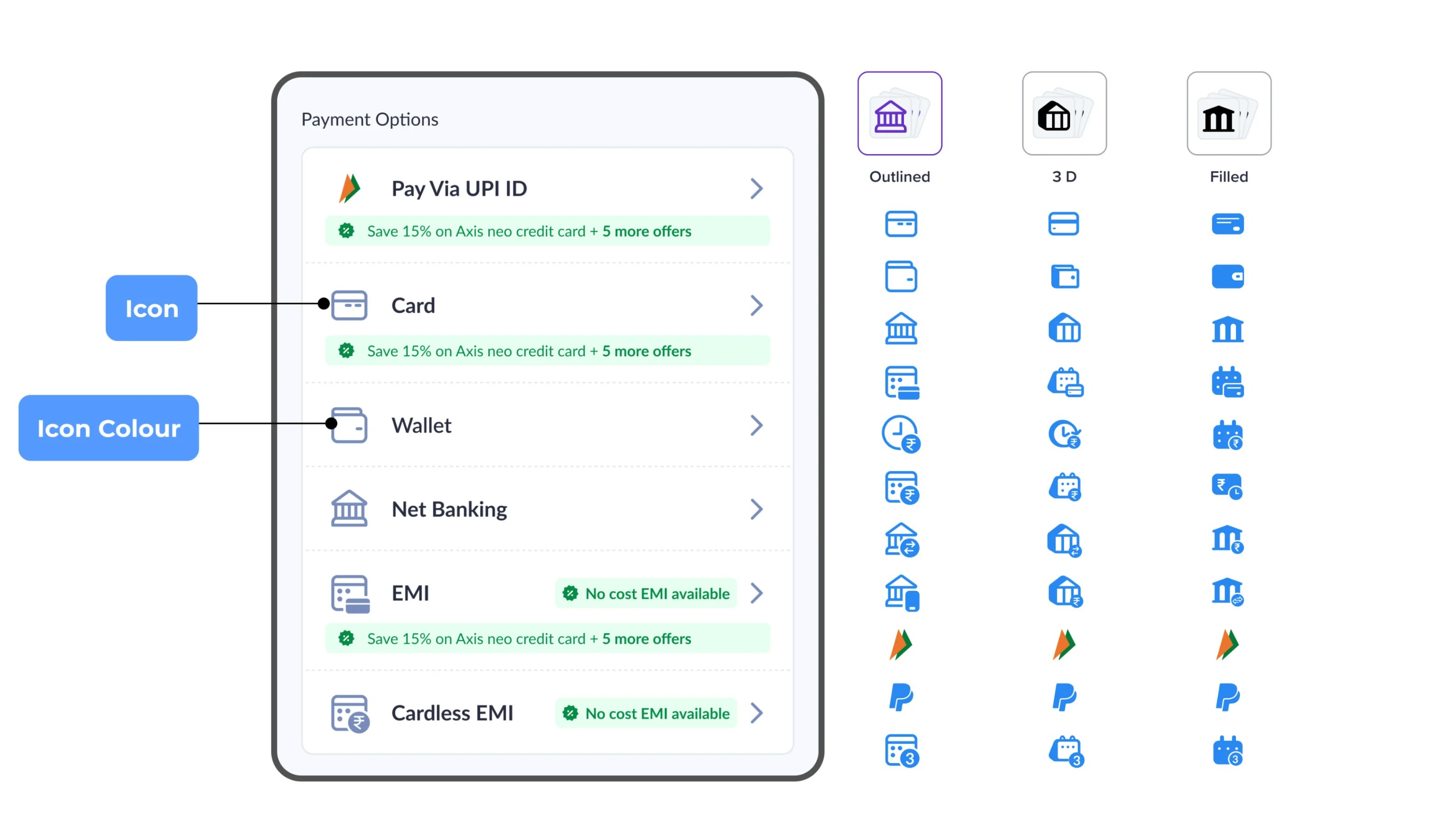
### Icons
You can configure the following options:
* Icon style
* Icon colour
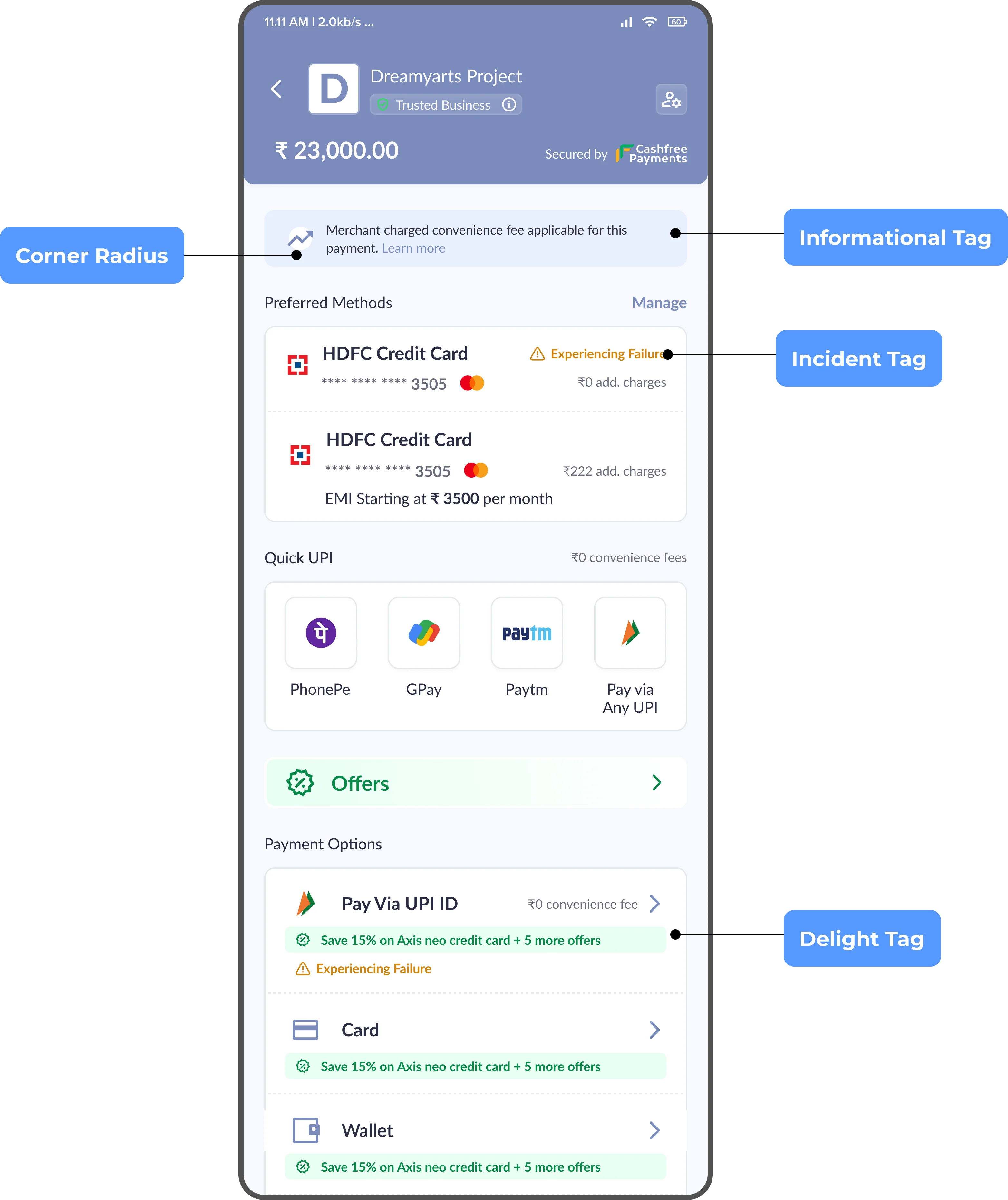
### Tags
You can configure the following options:
* **Incident tag**- background colour, text colour
* **Delight tag** - background colour, text colour
* **Informational tag** - background colour, text colour
* **Tag corner radius**
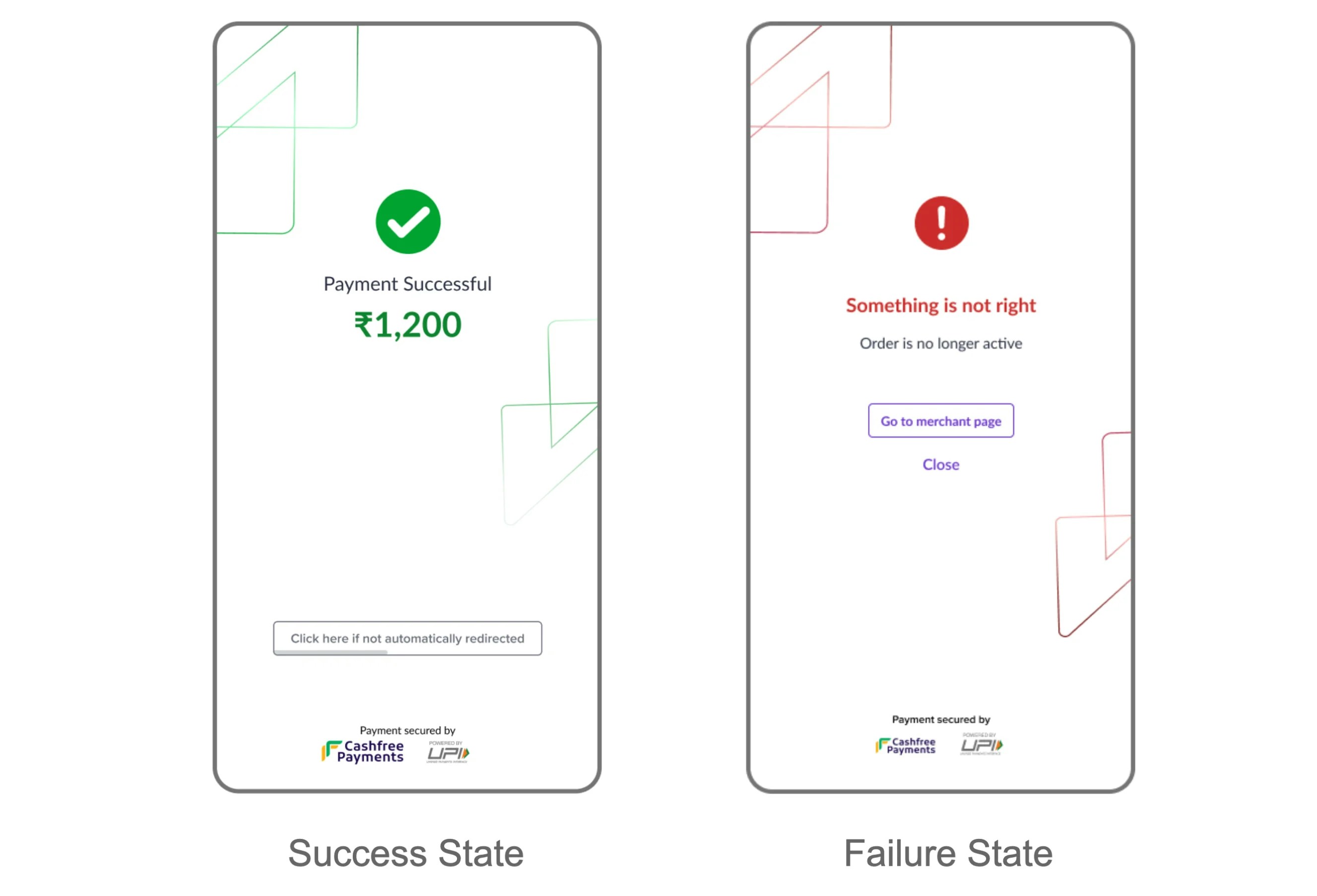
 ### Terminal State
You can configure the following options:
* Failure colour
* Success colour
### Terminal State
You can configure the following options:
* Failure colour
* Success colour