> ## Documentation Index
> Fetch the complete documentation index at: https://telr-docs.cashfree.com/llms.txt
> Use this file to discover all available pages before exploring further.
# Managing Coupons & Payment Offers
> Learn how to use Offers to boost order value and conversions
## Overview of offers
Create discounts and cashback offers to attract customers, increase average order value (AOV), and boost conversions. Telr makes it easy to set up offers for different payment methods, giving customers flexibility and helping drive more sales.
> **Note**\
> Offers and No Cost EMIs are only available on Telr-hosted checkout pages and plugins, not on merchant-hosted checkout pages.
***
### Why use offers?
* **Boost Sales**: Increase AOV and conversion rates.
* **Attract New Customers**: Discounts and cashback offers capture attention, especially during shopping seasons.
* **Encourage Prepaid Payments**: Offer incentives for UPI, cards, or net banking to reduce COD.
***
### Types of offers
1. **Seasonal Offers**: Drive sales around festivals and sale days.
2. **Payment Method Offers**: Offer discounts for specific payment types like UPI or cards.
3. **Product/SKU-Level Offers**: Target specific products to clear inventory or promote new items.
4. **Hidden Coupons**: Provide exclusive discounts to select customers (e.g., loyal customers, cart abandoners).
***
### Setting up an offer
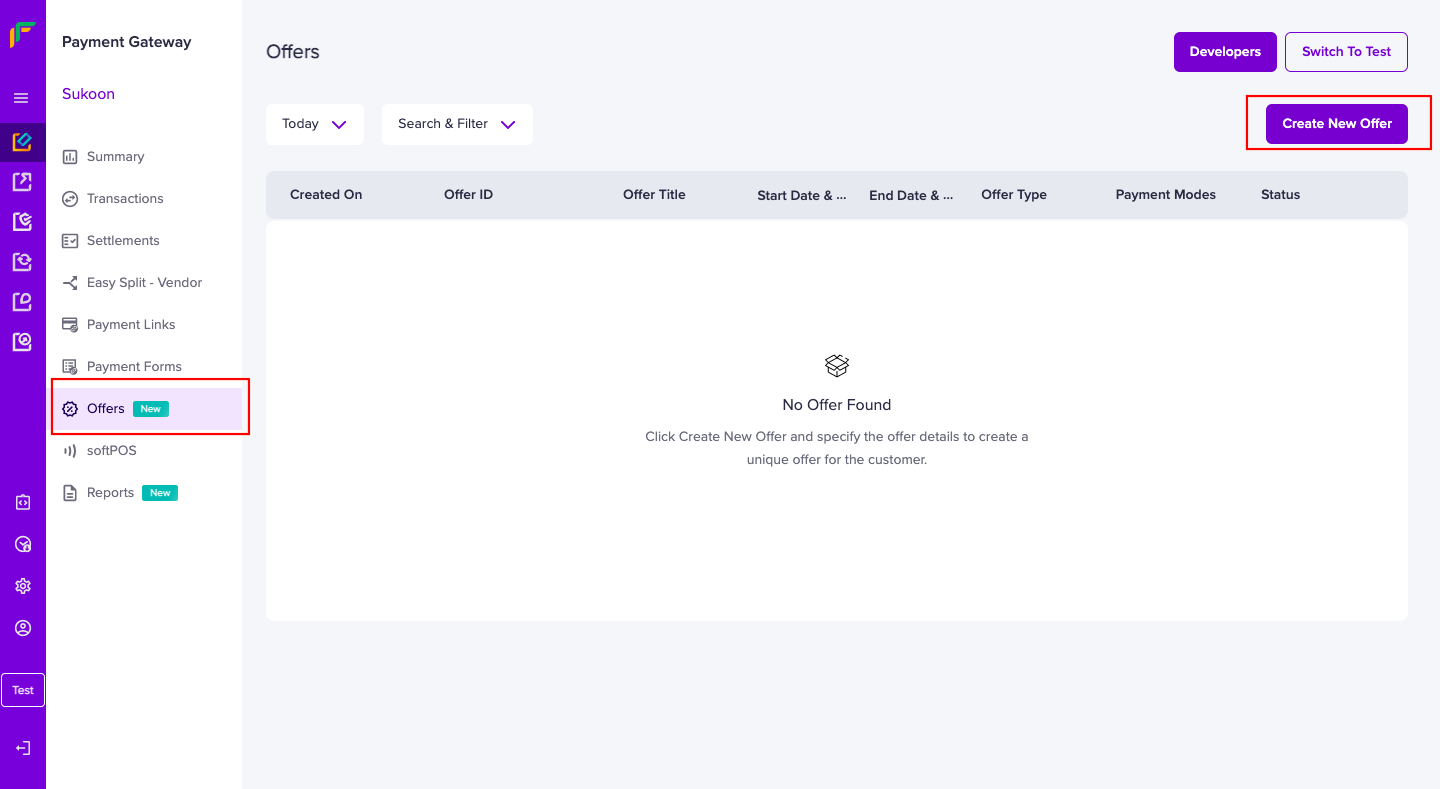
1. **Access Dashboard**: Go to **Payment Gateway Dashboard** > **Offers** > **Create New Offer**.
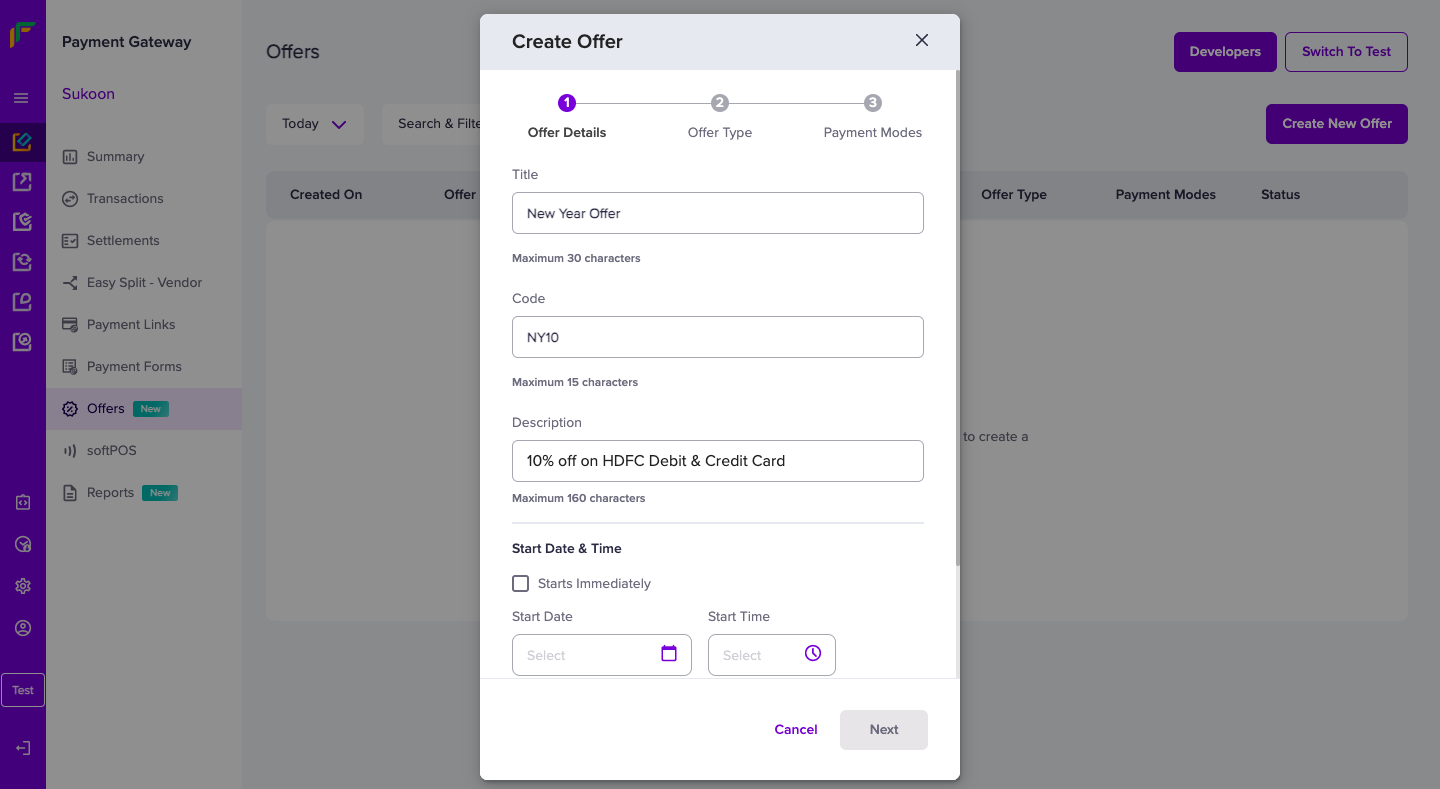
2. **Enter Details**: Add a **Title**, **Offer Code**, and **Description**.
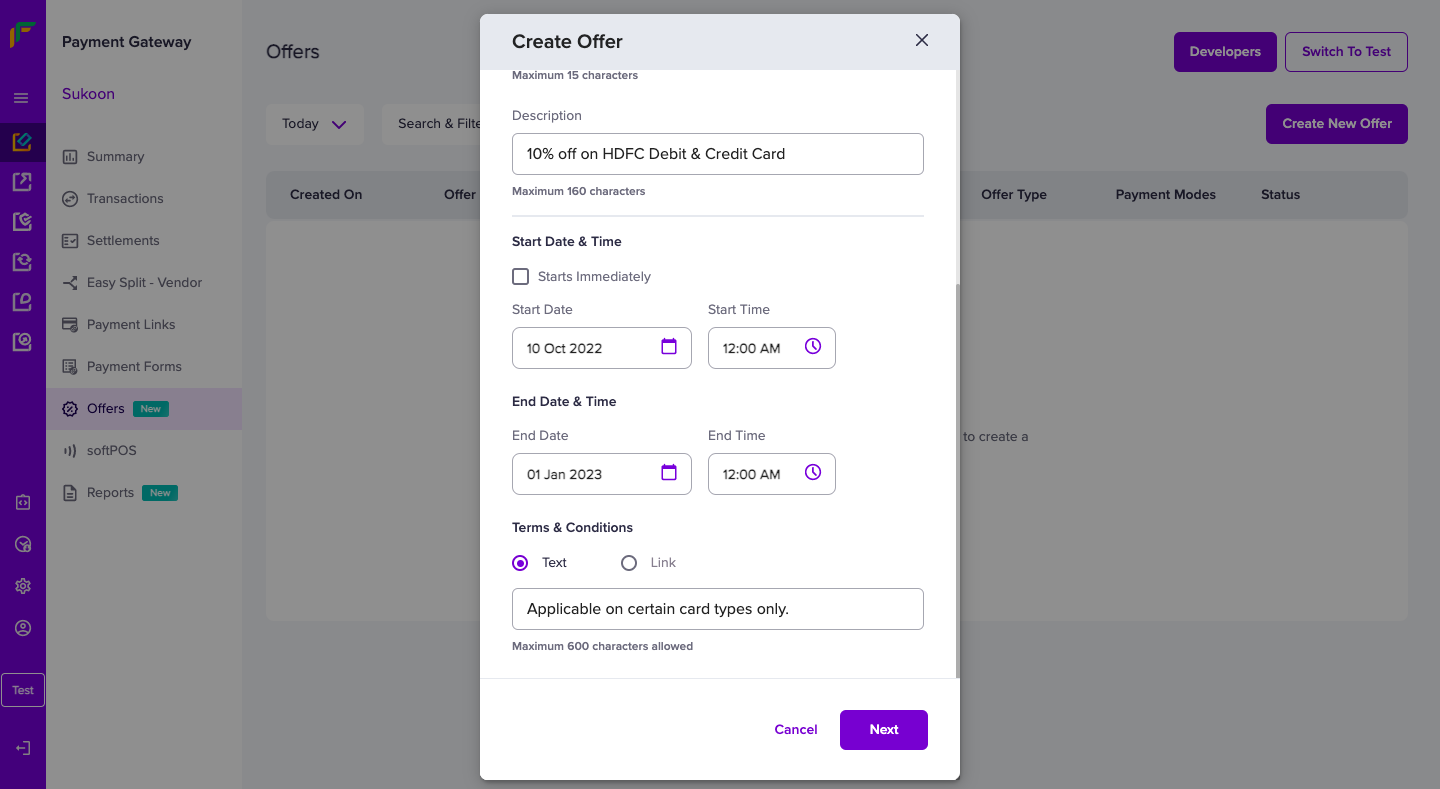
3. **Set Timeline**: Define start and end dates, and add terms.
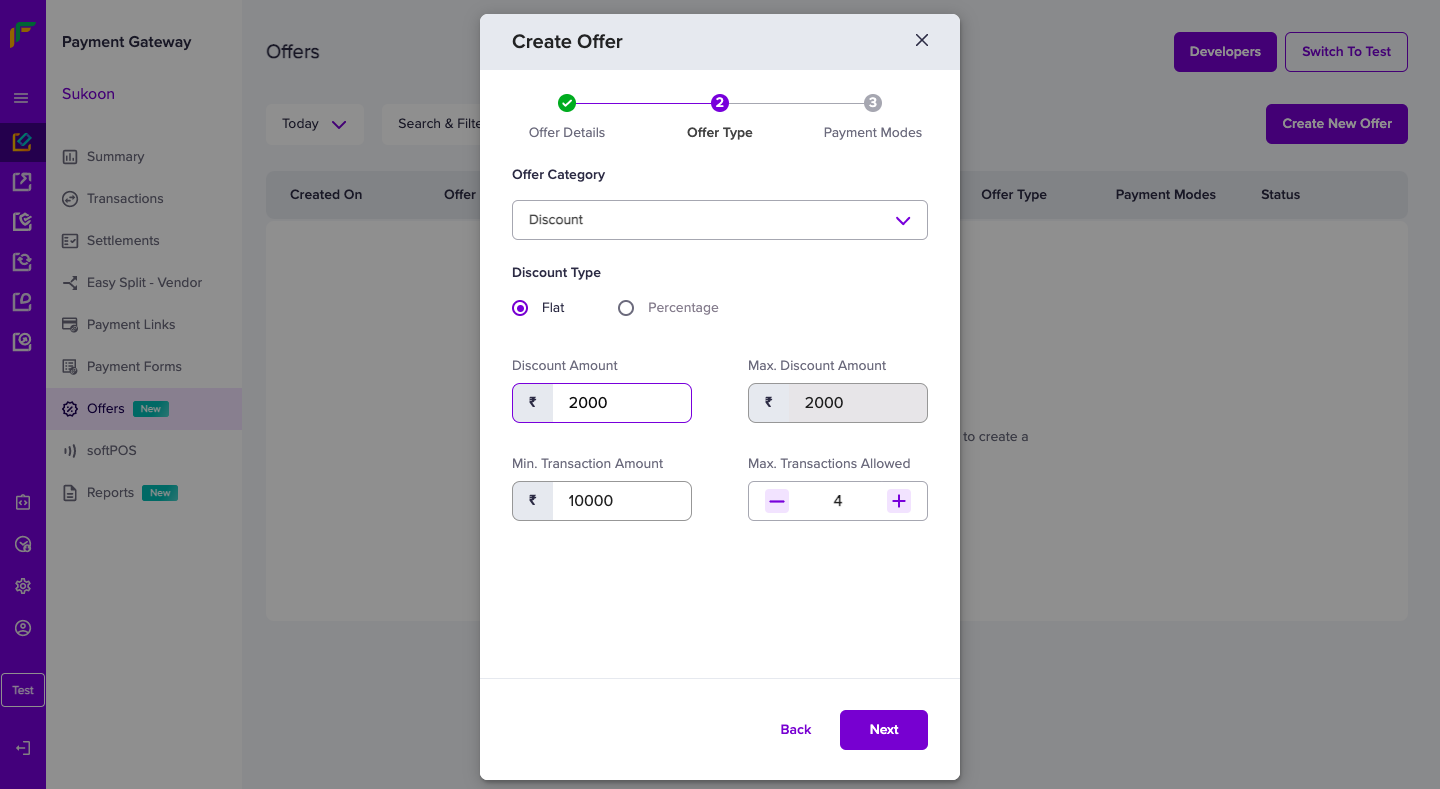
4. **Discount Type**: Choose a flat or percentage-based discount, and set a maximum discount amount if needed.
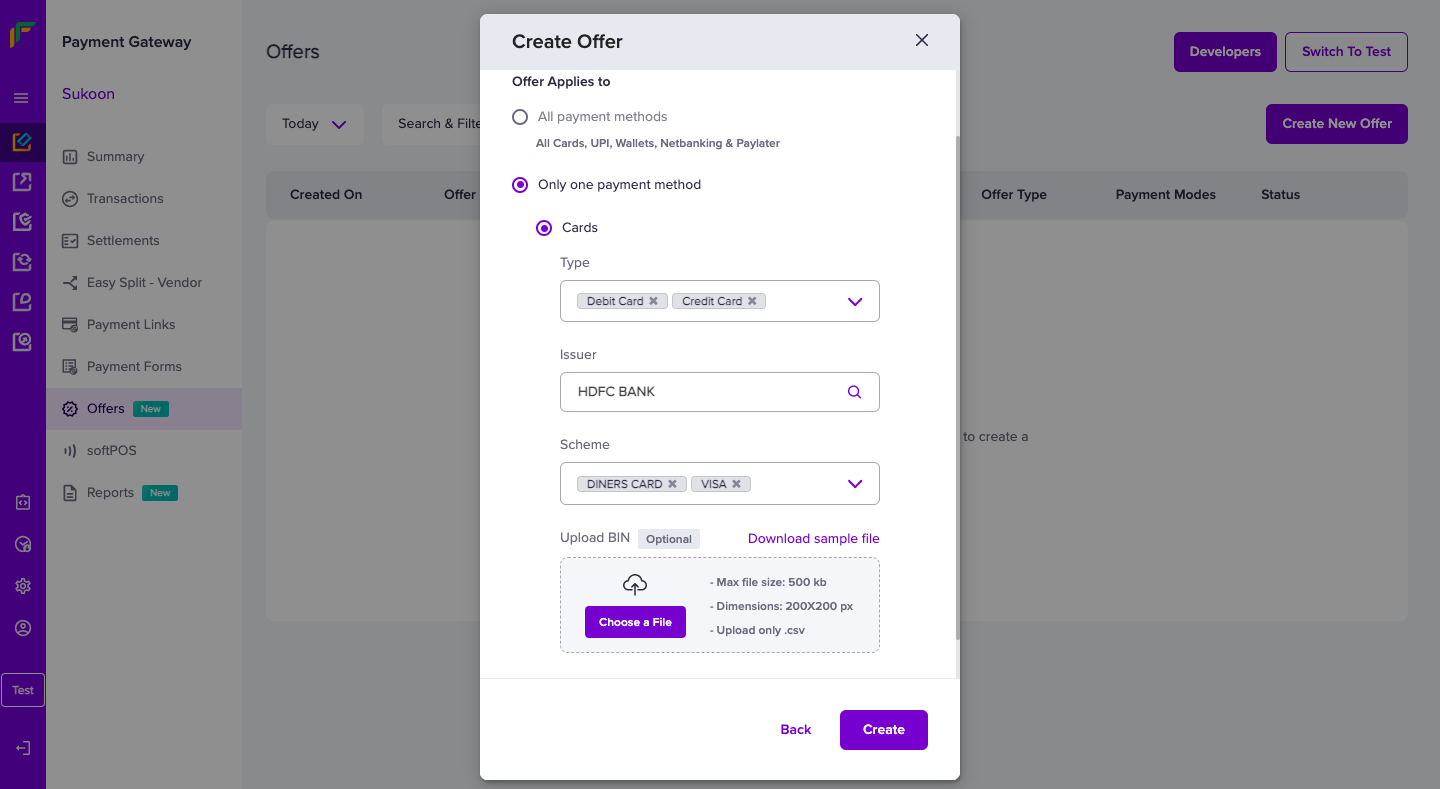
5. **Select Payment Methods**: Choose eligible payment modes, banks, or card types, then click **Create** to finalize.
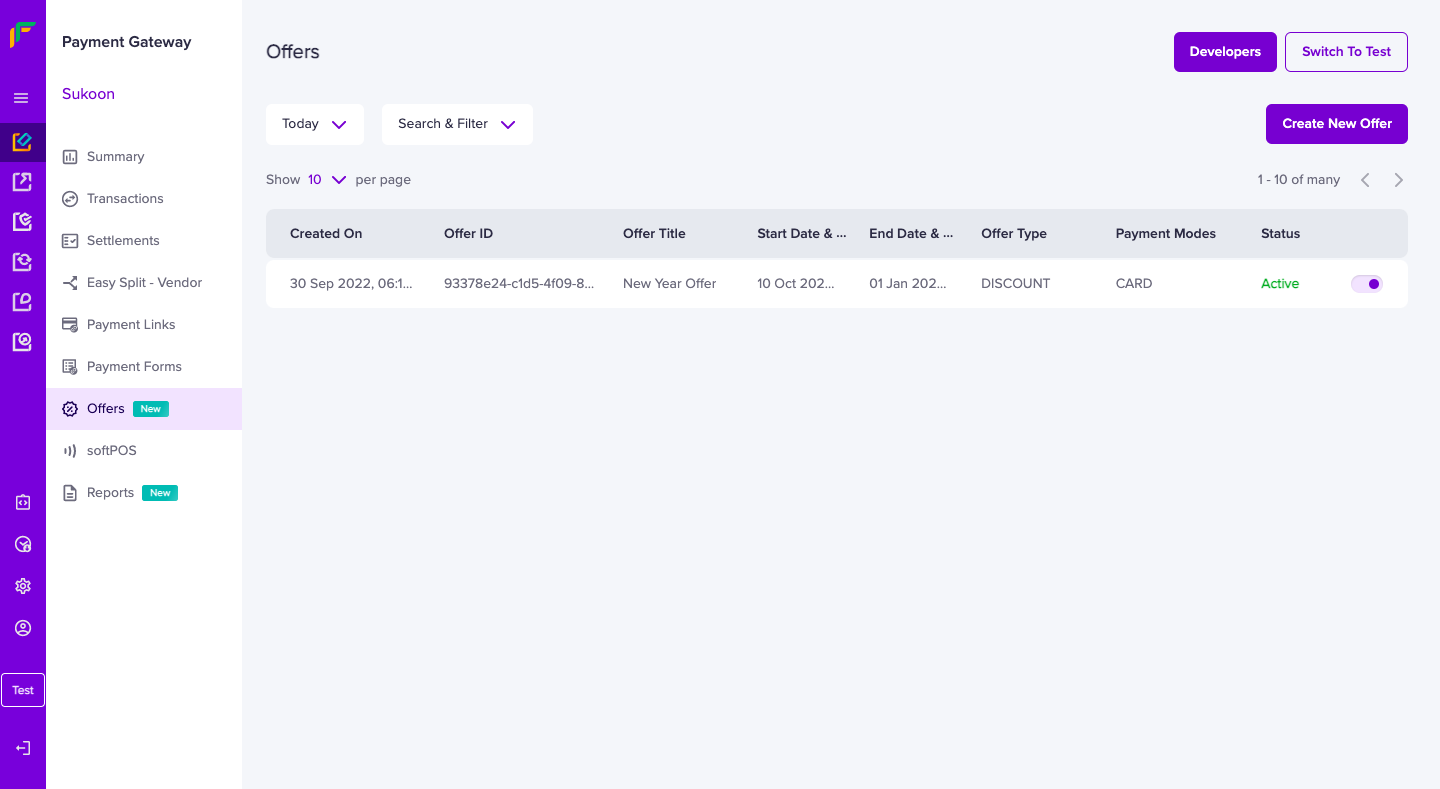
6. **Manage Offers**: Enable, disable, or edit offers in the **Offers** section.
***
### Customer view of offers
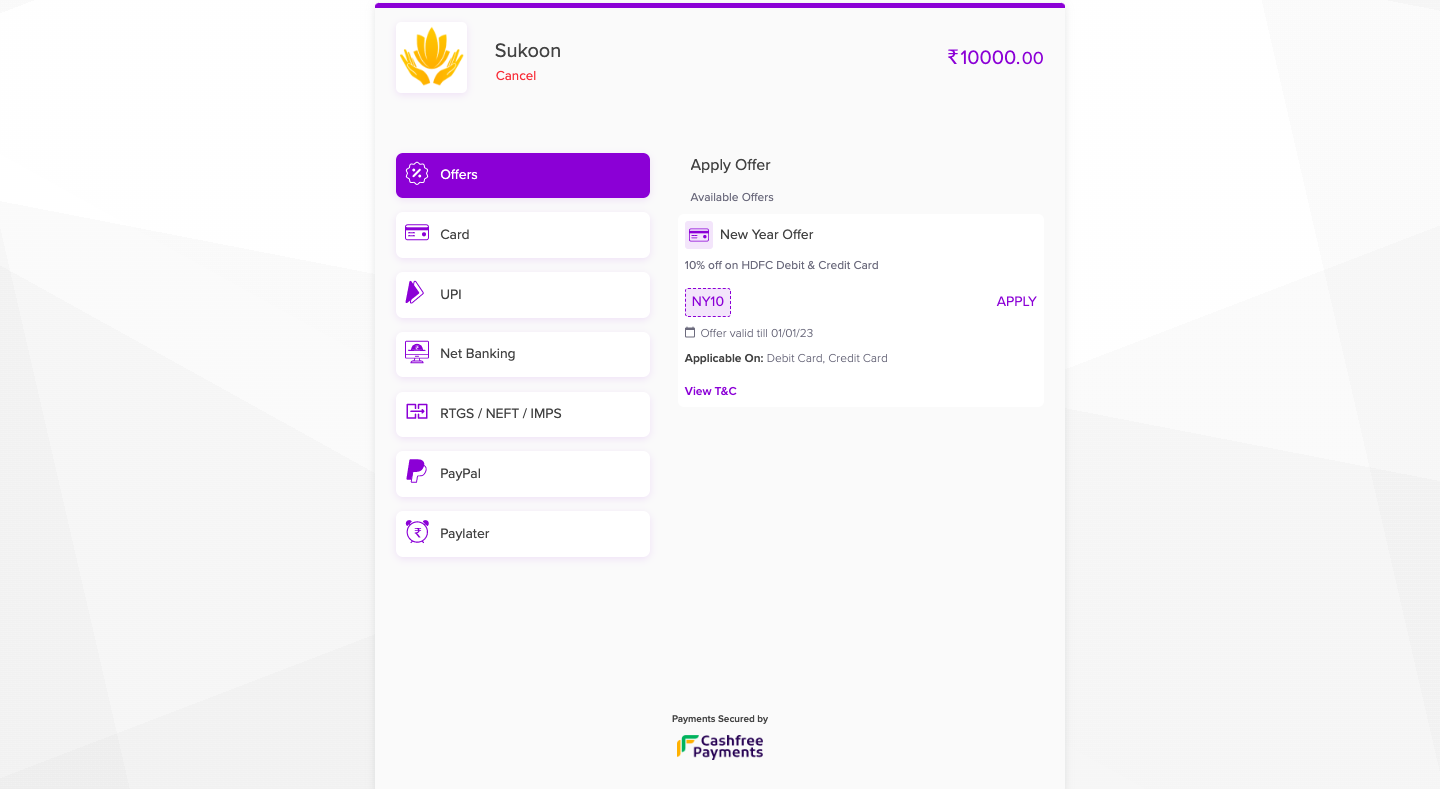
Eligible offers appear at checkout, allowing customers to select and apply them easily. The discount applies directly to the total.
***
## Important notes
* **Merchant Responsibility**: Merchants cover the interest cost as an upfront discount.
* **GST on Interest**: Some banks may still charge GST on the interest component.
 2. **Enter Details**: Add a **Title**, **Offer Code**, and **Description**.
 3. **Set Timeline**: Define start and end dates, and add terms.
 4. **Discount Type**: Choose a flat or percentage-based discount, and set a maximum discount amount if needed.
 5. **Select Payment Methods**: Choose eligible payment modes, banks, or card types, then click **Create** to finalize.
 6. **Manage Offers**: Enable, disable, or edit offers in the **Offers** section.
 ***
### Customer view of offers
Eligible offers appear at checkout, allowing customers to select and apply them easily. The discount applies directly to the total.
***
### Customer view of offers
Eligible offers appear at checkout, allowing customers to select and apply them easily. The discount applies directly to the total.
 ***
## Important notes
* **Merchant Responsibility**: Merchants cover the interest cost as an upfront discount.
* **GST on Interest**: Some banks may still charge GST on the interest component.
***
## Important notes
* **Merchant Responsibility**: Merchants cover the interest cost as an upfront discount.
* **GST on Interest**: Some banks may still charge GST on the interest component.