> ## Documentation Index
> Fetch the complete documentation index at: https://telr-docs.cashfree.com/llms.txt
> Use this file to discover all available pages before exploring further.
# Get Started with Embedded Payments
Signup for Embedded Payments to get started with the product. After you complete the signup and activation process, you will get access to the Embedded Payments Partner Dashboard. You can add merchants, integrate our Payment Gateway solution, keep a check on your commissions, get a snapshot of your business with Telr, and more within the Embedded Payments Dashboard.
## Signup for Embedded Payments
To use Embedded Payments, you must first create an Embedded Payments Partner account with Telr.
1. Go to the Embedded Payments [sign up page](https://partner.cashfree.com/partner-ui/authentication/signup?product=embedded).
2. In the **Create Account** screen, enter your Business Information and create a password for your account.
3. Click **Signup**.
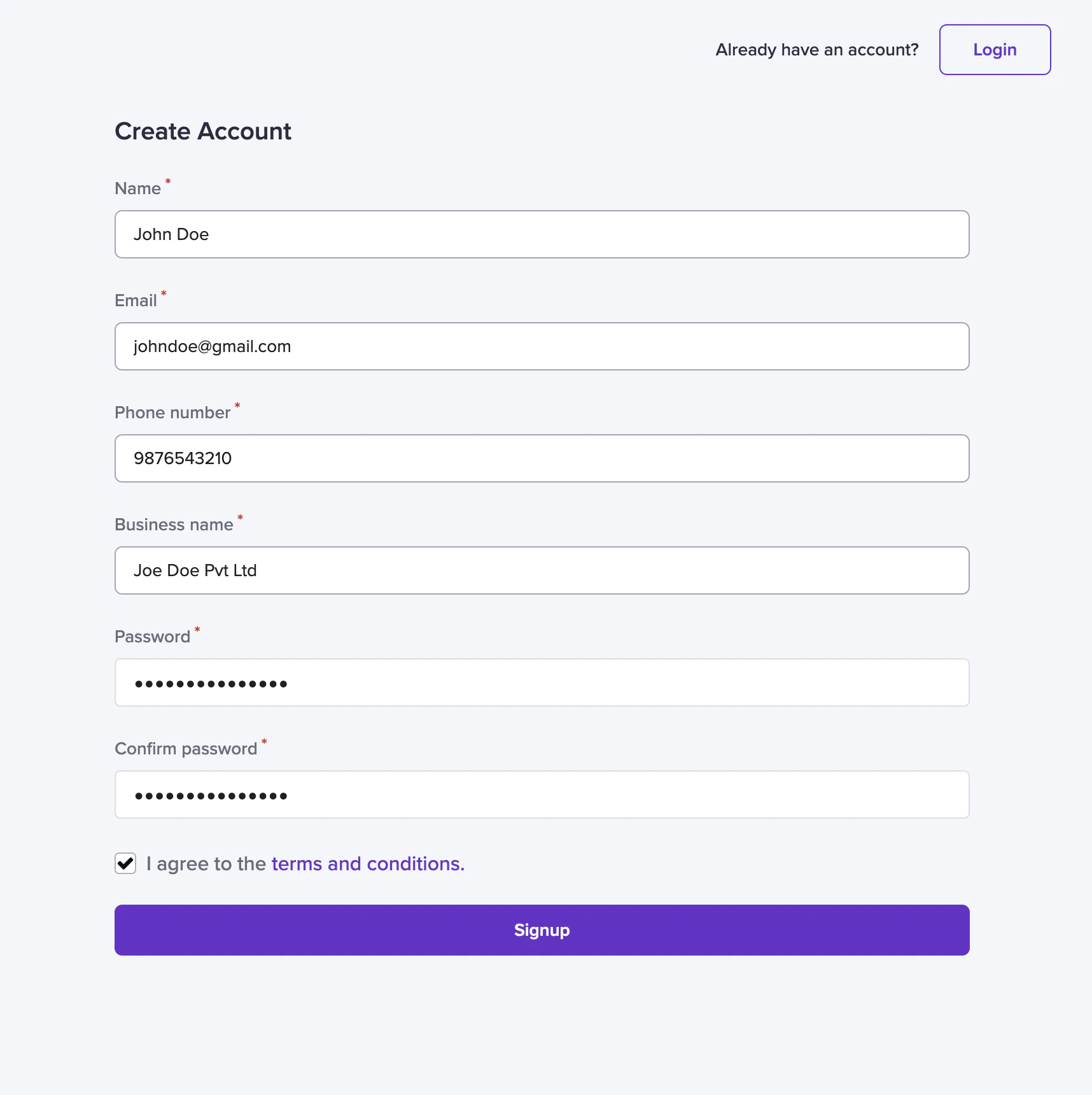 4. You can [login](https://partner.cashfree.com/partner-ui/authentication/login) to the Embedded Payments Dashboard using the same credentials.
## Activate Embedded Payments Account
After you complete the signup process, you will receive a welcome email from Telr. To complete the activation of your account, you have to send us the documents listed below to complete the KYC for your account. We will verify all the details and enable your account within 48 hours of submitting all documents.
You can Login to your Embedded Payments Dashboard with the email ID and password entered during sign-up and explore your Embedded Payments Dashboard.
If you face any issues or need further support you can contact us at **[Support Form](https://telr.cashfree.com/merchants/landing?env=prod\&raise_issue=1)**.
### Documents Required for KYC Verification
**Business Details**
* Website URL
* Official email ID
* Official contact name & phone number
* Bank account details - name, account number, and IFSC
| For Proprietorship | For Partnership/LLP | For Private Ltd./Public Ltd. Entities |
| :------------------------------------------------------------------------------------------------------------ | :---------------------------------------------------------- | :---------------------------------------------------------------- |
| Business registration proof (GST certificate/Shop act licence/labour licence/ MSME certificate/Trade license) | Business reg. proof (Partnership Deed/ LLP COI) | Certificate of Incorporation |
| Proprietor's PAN card | Business PAN card | Business PAN card |
| Proprietor's address proof (DL/Voter ID/Passport) | Authorized signatory PAN card | Authorized signatory/director's PAN card |
| Cancelled cheque or bank statement | Authorized signatory - address proof (DL/Voter ID/Passport) | Authorized signatory - address proof (DL/Voter ID/Passport) |
| | Cancelled cheque or bank statement | Cancelled cheque or bank statement |
| | | Memorandum of Association (MOA) and Articles of Association (AOA) |
Commissions will be enabled only after completing KYC verification for your
account. Please ensure you share the required documents on time.
4. You can [login](https://partner.cashfree.com/partner-ui/authentication/login) to the Embedded Payments Dashboard using the same credentials.
## Activate Embedded Payments Account
After you complete the signup process, you will receive a welcome email from Telr. To complete the activation of your account, you have to send us the documents listed below to complete the KYC for your account. We will verify all the details and enable your account within 48 hours of submitting all documents.
You can Login to your Embedded Payments Dashboard with the email ID and password entered during sign-up and explore your Embedded Payments Dashboard.
If you face any issues or need further support you can contact us at **[Support Form](https://telr.cashfree.com/merchants/landing?env=prod\&raise_issue=1)**.
### Documents Required for KYC Verification
**Business Details**
* Website URL
* Official email ID
* Official contact name & phone number
* Bank account details - name, account number, and IFSC
| For Proprietorship | For Partnership/LLP | For Private Ltd./Public Ltd. Entities |
| :------------------------------------------------------------------------------------------------------------ | :---------------------------------------------------------- | :---------------------------------------------------------------- |
| Business registration proof (GST certificate/Shop act licence/labour licence/ MSME certificate/Trade license) | Business reg. proof (Partnership Deed/ LLP COI) | Certificate of Incorporation |
| Proprietor's PAN card | Business PAN card | Business PAN card |
| Proprietor's address proof (DL/Voter ID/Passport) | Authorized signatory PAN card | Authorized signatory/director's PAN card |
| Cancelled cheque or bank statement | Authorized signatory - address proof (DL/Voter ID/Passport) | Authorized signatory - address proof (DL/Voter ID/Passport) |
| | Cancelled cheque or bank statement | Cancelled cheque or bank statement |
| | | Memorandum of Association (MOA) and Articles of Association (AOA) |
Commissions will be enabled only after completing KYC verification for your
account. Please ensure you share the required documents on time.