Signup for Embedded Payments to get started with the product. After you complete the signup and activation process, you will get access to the Embedded Payments Partner Dashboard. You can add merchants, integrate our Payment Gateway solution, keep a check on your commissions, get a snapshot of your business with Telr, and more within the Embedded Payments Dashboard.
Signup for Embedded Payments
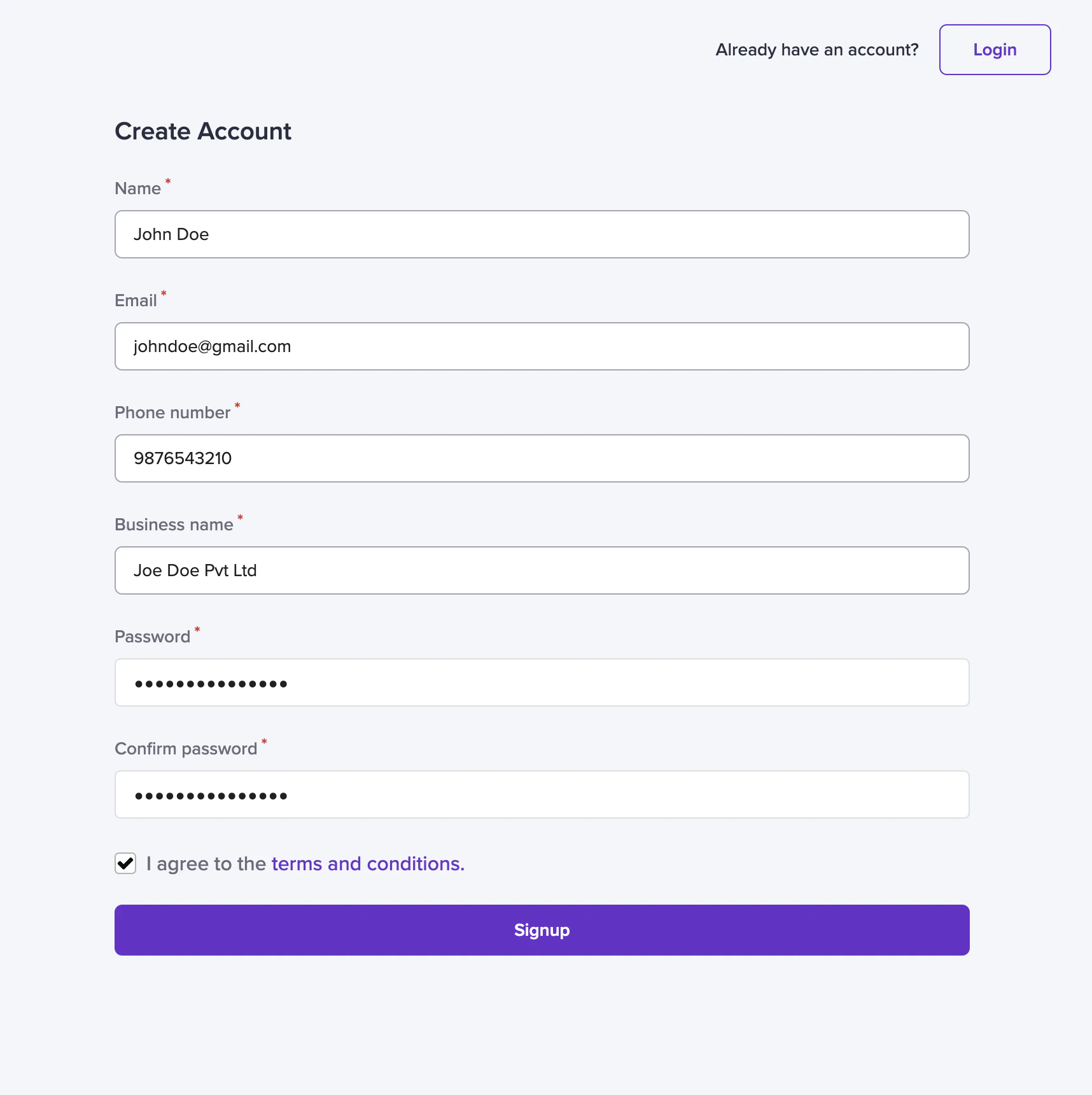
To use Embedded Payments, you must first create an Embedded Payments Partner account with Telr.
In the Create Account screen, enter your Business Information and create a password for your account.
Click Signup.
You can login to the Embedded Payments Dashboard using the same credentials.
Activate Embedded Payments Account
After you complete the signup process, you will receive a welcome email from Telr. To complete the activation of your account, you have to send us the documents listed below to complete the KYC for your account. We will verify all the details and enable your account within 48 hours of submitting all documents.You can Login to your Embedded Payments Dashboard with the email ID and password entered during sign-up and explore your Embedded Payments Dashboard.If you face any issues or need further support you can contact us at Support Form.
Documents Required for KYC Verification
Business Details
Website URL
Official email ID
Official contact name & phone number
Bank account details - name, account number, and IFSC